016-4010-001 Rev. J 91
SLINGSHOT
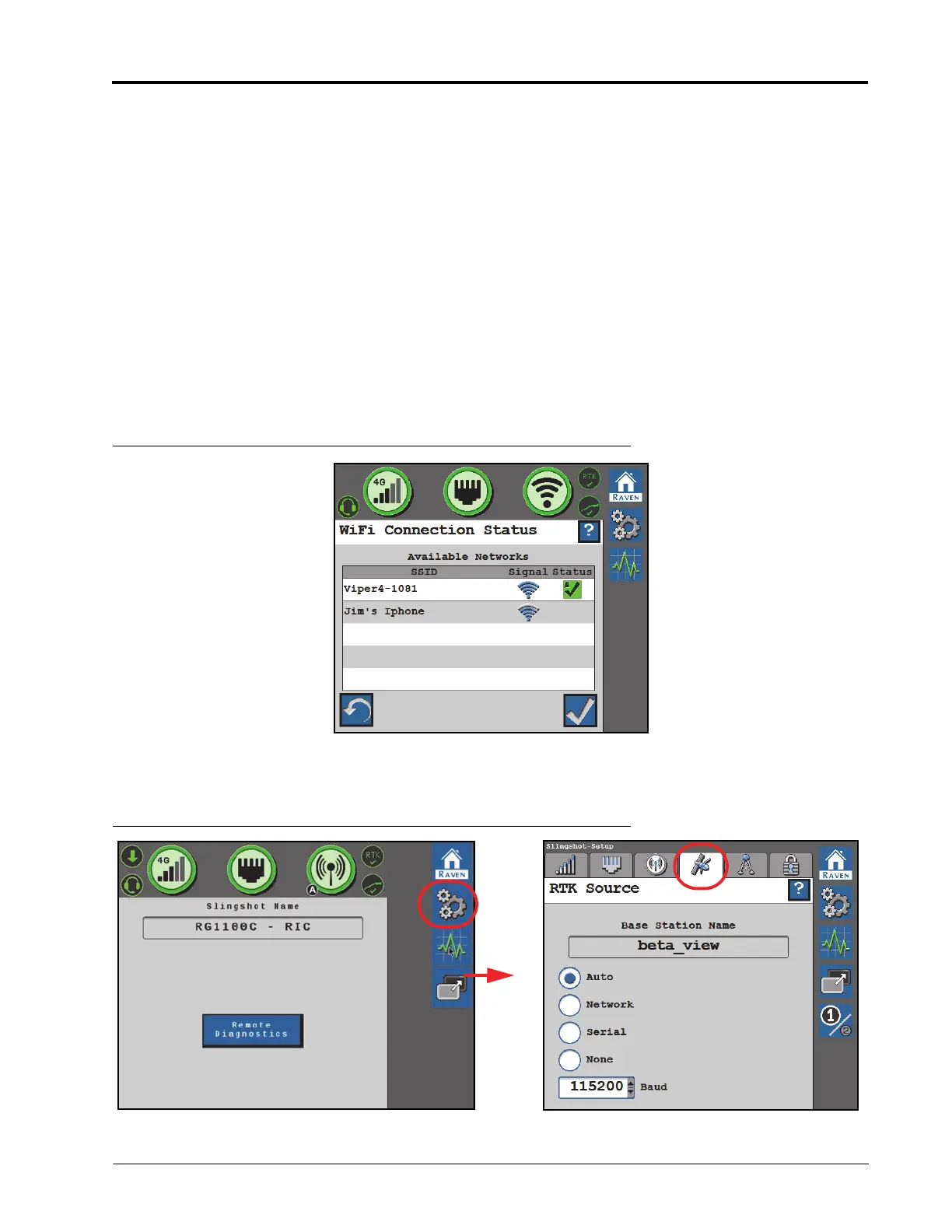
• Touch the refresh button in the lower, left corner to update the list of available WiFi networks.
• Select an available network to enter the WiFi password and connect to the selected network. The network to
which the system is currently connected will display with a green check mark on the WiFi Connection Status
page.
MANUAL HOTSPOT
Select Manual Hotspot to broadcast a hotspot for local WiFi devices.
RAVEN AUTO
Select Raven Auto to allow the system to automatically select the best WiFi network connection. To change which
WiFi network the system is connected to, select the Manual Client mode.
NOTE: When set to Raven Auto, a small “A” indicator will be displayed to indicate Raven is controlling the
Hotspot and WiFi settings for the system.
FIGURE 14. WiFi Connection Status
RTK SOURCE SETTINGS
FIGURE 15. RTK Source Page








 To Next Page