CHAPTER 11
82 Raven RS1™ and RS Lite™ Calibration and Operation Manual
BUTTON DEFINITIONS
The following are common status or mode messages which may occur.
TABLE 1. UT Navigation Buttons
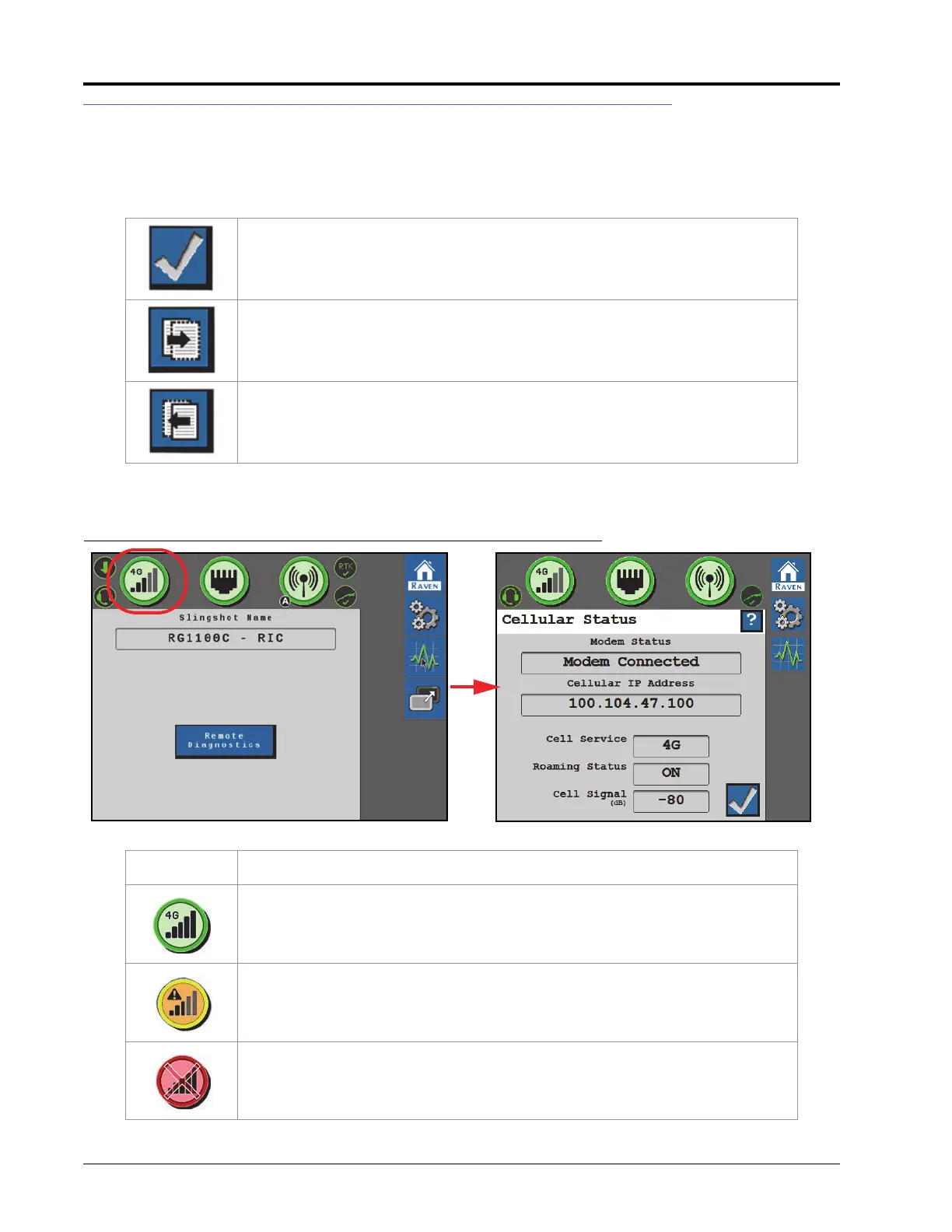
CELLULAR MODEM
FIGURE 2. Cellular Status Page
Accept - Saves changes made to the RS1 system and returns the user to the
previous Status page (or returns the user to the Tools Menu during the initial
setup process).
Next - Press to proceed to the next page.
Previous - Returns the field computer display to the previous page in the setup
process.
Display Message
RS1 is connected to the network via the cellular modem.
The cellular modem is functional, but is not connected to the network.
The cellular modem is not functional and RS1 is not connected to the network.



 To Next Page
 Loading...





