RT-7600S Auto Hematology Analyzer User’s Manual
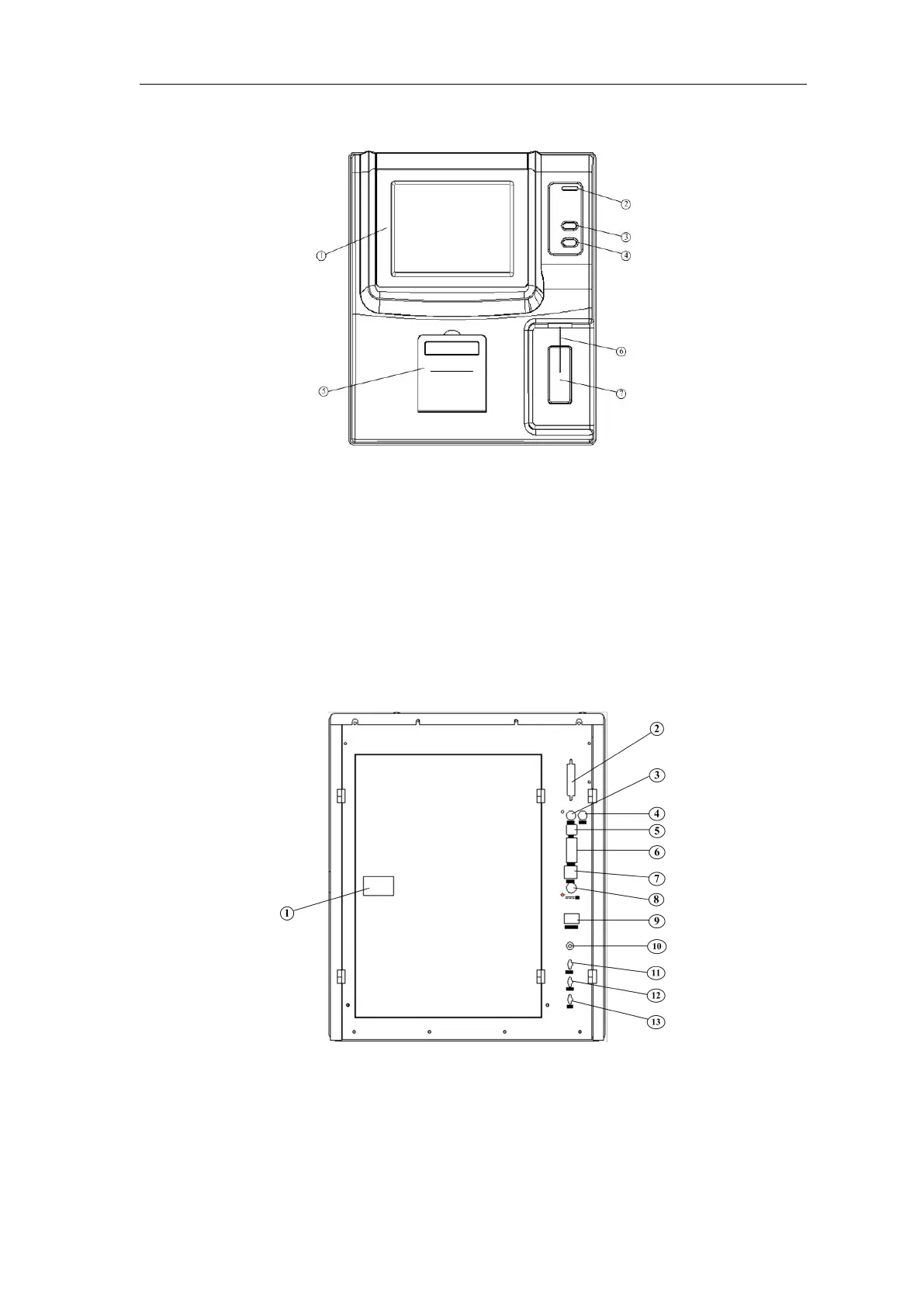
1.3.1 Front view
Fig.1-1 Front view
① Display screen: Display the software interface
② Indicator light: yellow at startup, turn red when starting sample test, turn yellow after test.
③ Feed key: built-in printer feeds paper outward
④ Aspiration key: in sample analysis, press this key, the instrument will aspirate sample
⑤ Printer cover: print paperinstalling position for built-in printer
⑥ Sampling needle: use sampling needle to aspirate sample into chamber
⑦ Aspiration key: in sample analysis, press this key, the instrument will aspirate sample,
function the same as key ④
1.3.2 Rear view
Fig.1-2 Rear view
1) Rear cover switch: turn this button, open the rear cover to replace reagent
2) Parallel port: printer interface
3) Keyboard interface: PS/2 keyboard interface
4) Mouse interface: PS/2 mouse interface



 To Next Page