RT-7600S Auto Hematology Analyzer User’s Manual
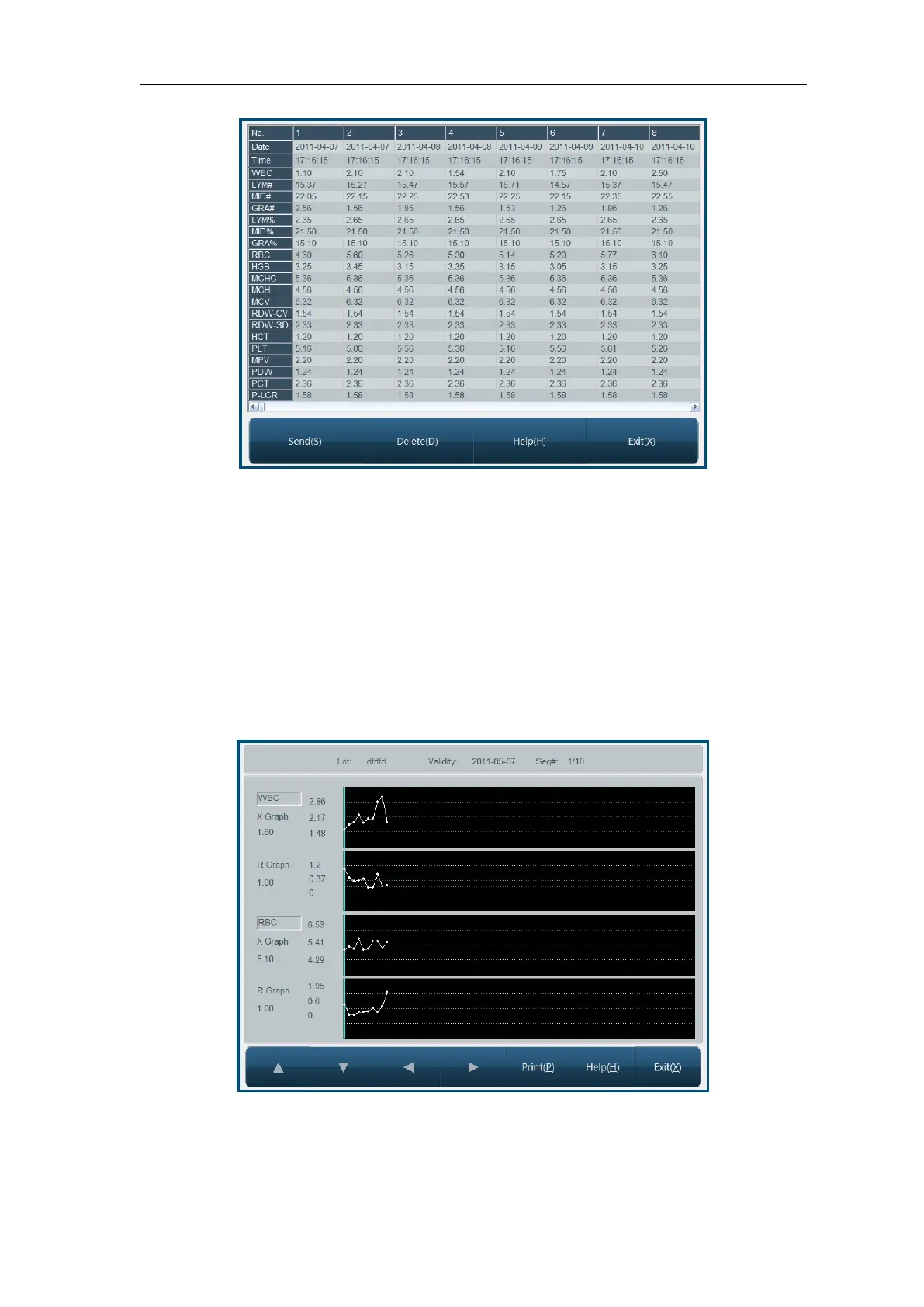
Fig.4-12 X-R QC list
The instrument will display 20-parameter QC result.
Click “Send” button, some or all QC results can be transferred to external receiver. Operation
method is the same as data transfer in “4.1.3 L-J QC list”.
Click “Delete” button, deletion confirmation dialog box pops up. After confirmed, some or all
QC data will be deleted.
4.3.4 X-R QC chart
X-R QC chart can visually reflect instrument stability, when instrument is under control, points
in chart will randomly distributed on both sides of centerline, the farther from centerline, the
nearer to upper/lower control limits, there will be fewer points. Graphic screen is as follows:
Fig.4-13 X-R QC chart
Lot No.: lot number of QC object
Expiry: validity period of QC object



 To Next Page