RT-7600S Auto Hematology Analyzer User’s Manual
sample number is above this value, the instrument will run cleaning procedure one
time. If it is set zero, it will not execute automatic cleaning.
3. Pre-diluted test mode inform: select the box, before pre-diluted peripheral blood test,
inform message will popup.
4. Transmit instantly: After sample test, the result will transfer to the computer by
RS-232 serial port instantly.
5. Standby time (mn): in this box, input stand by time, when idle time of instrument
exceeds this value on the sample test window, the instrument will stand by. If it is set
zero, it will not stand by.
6. Reagent Alarm: reagent alarm mode by software or sensor.
7.2 Other
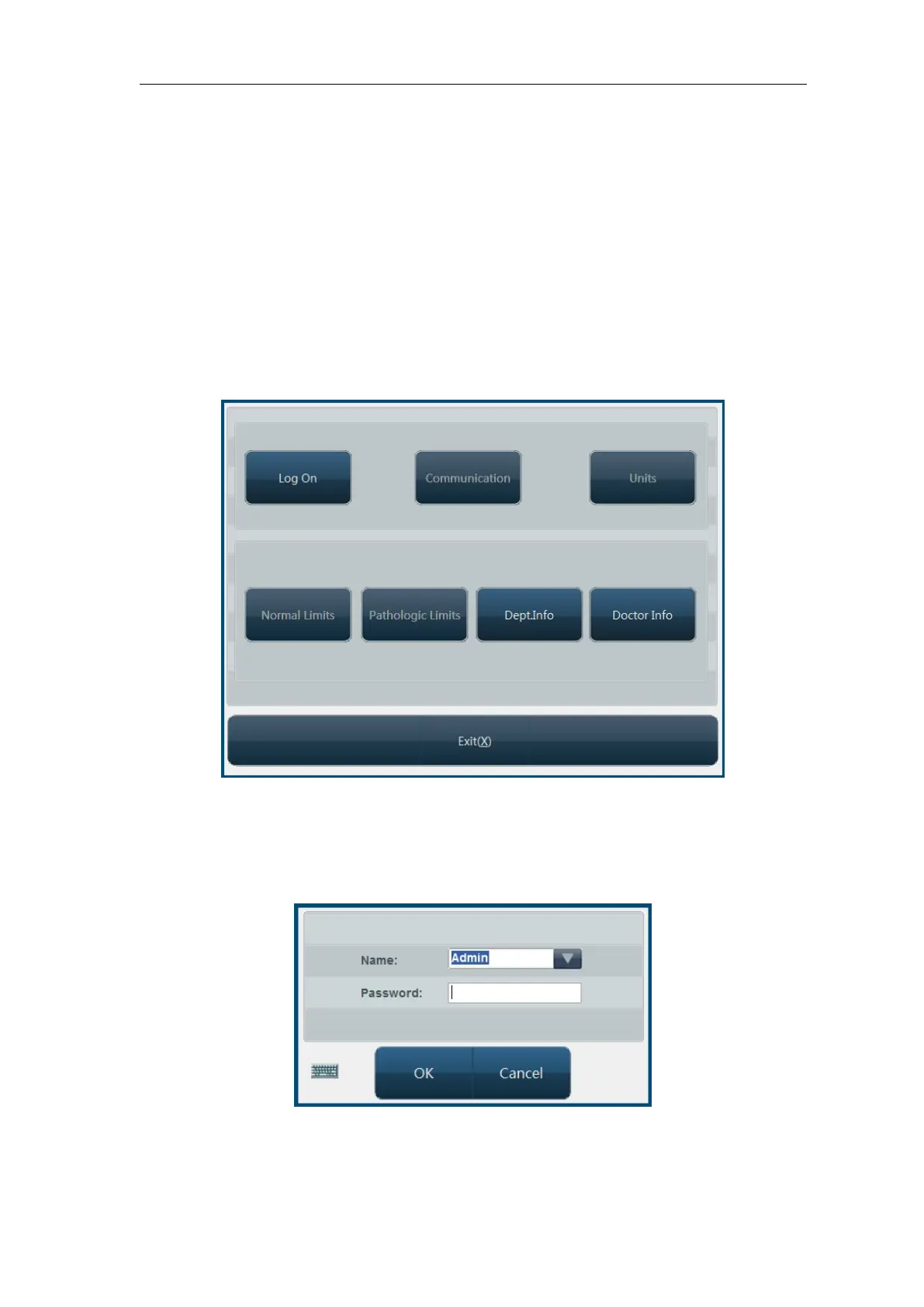
Click “Other” button; open the menu as follows:
Fig.7-2 Other setting
7.2.1 User setting
The system has two levels of users now, system administrator and common user, with varied
priorities. Default is common user, then some settings are disabled, to enable these settings,
please click “Log on” button, open logon dialog box as follows:
Fig.7-3 Logon dialog box
Select or input user account and password, click “OK” button, if you’re system administrator,
then all functions in Other Setting screen will be enabled. System presets administrator user
“Admin”, the password is 1008 (A few version’s password is 7600). New menu after system



 To Next Page