RT-7600S Auto Hematology Analyzer User’s Manual
Time: test time of data corresponding to QC point.
Each screen displays four-parameter QC chart. Three values on the left of QC chart are, from
top to bottom: target value + deviation, target value, target value - deviation.
Press “↓”, “↑” keys on keyboard or frame to switch between parameters.
Press “←”, “→” keys on keyboard or frame to display QC data of various serial numbers.
Press “Print” button to print out one current group of QC data.
4.3 X-R QC
X-R QC, or mean - range QC, is common quality control method in industry, an efficient way
to determine and forecast abnormal fluctuation of quality, it complements with L-J QC each
other. X-R use QC sample for QC analysis.
X-R QC primarily use control chart to reflect QC data stability, its QC chart is a combined
chart.
4.3.1 X-R QC setting
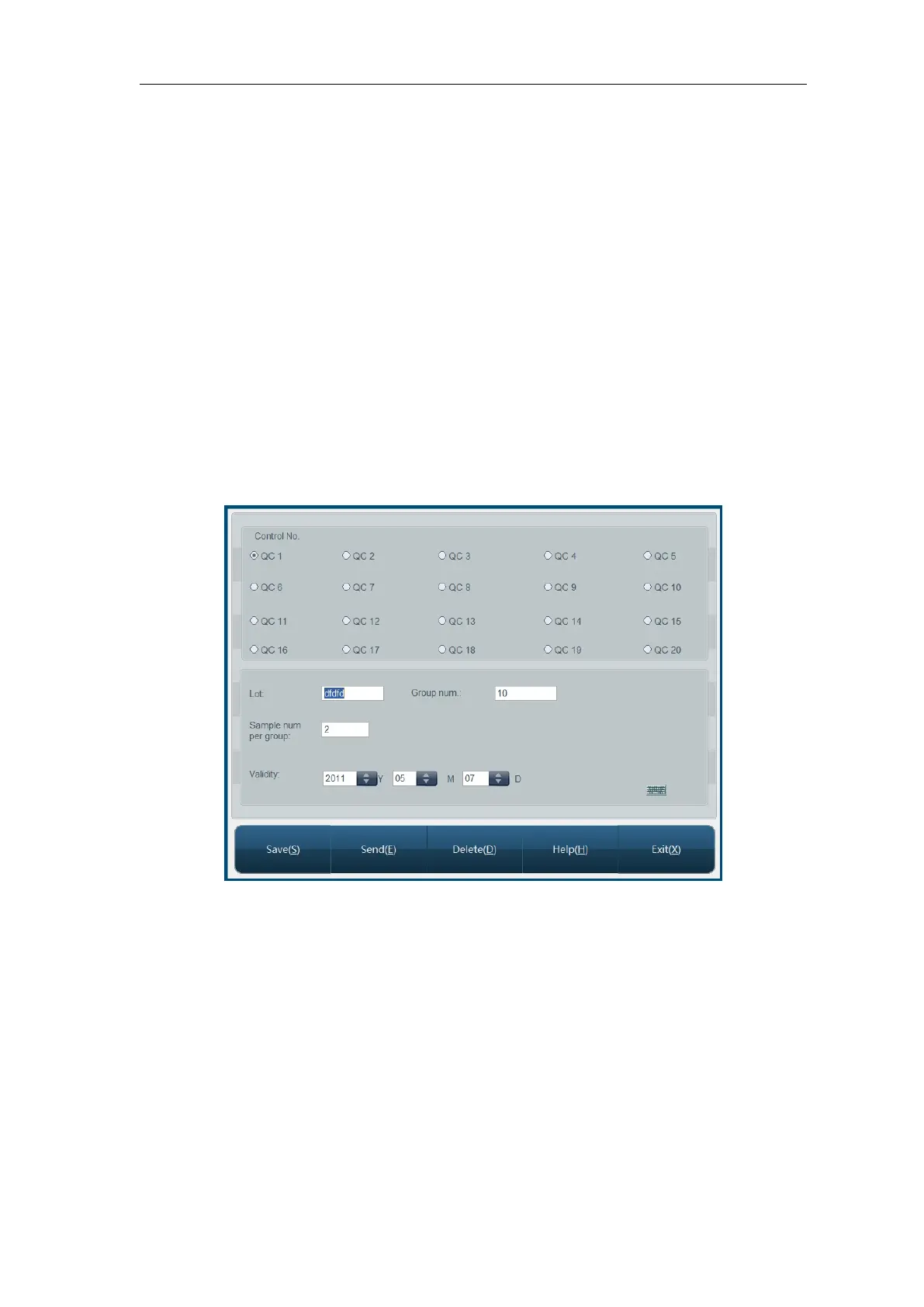
Before running X-R QC, necessary QC parameter setting shall be done, setting screen is as
follows:
Fig.4-10 X-R QC setting
Lot No.: lot number of QC object.
Expiry: validity period of QC object
Group No.: 2-60, default is 20.
Number of samples in each group: 2-10, default is 5.
Save: select QC file, input lot No., validity period, and parameter target value and limits,
click “Save” button to save QC data of current QC file, if this QC file has data, then
update.
Delete: delete QC data of currently selected QC file.
Send: use instrument RS-232 serial port to transfer QC data of currently selected QC file
to designated receiver. Before sending, please connect RT-7600S to equipment to
receive data with RS-232 serial port cable, start up and set up receiver software



 To Next Page