RT-7600S Auto Hematology Analyzer User’s Manual
10.2.6 Prime
System will prime automatically during sample test. If you have performed drain operation or
replaced reagent, you shall perform the operation of priming.
1) All reagents: fill diluent, lyse and cleanser into related pipeline.
2) Diluent: fill diluent into related pipeline.
3) Lyse solution: fill lyse solution into related pipeline.
4) Cleanser: fill cleanser into related pipeline.
10.2.7 Cleaning
When you think that the chamber has been polluted or the blank test result keeps
unacceptable, you shall use this function.
10.2.8 Concentrated cleanser soaking
Concentrated cleanser is an alkalescent wash solution. It is used for cleaning pipeline and
chamber. At the service menu, click “Bougie Fluid” to perform the concentrated cleanser
soaking procedure. When the system gives the message to add concentrated cleanser, add it
manually into the chamber. You shall perform this operation once every three days.
10.2.9 Check mechanics
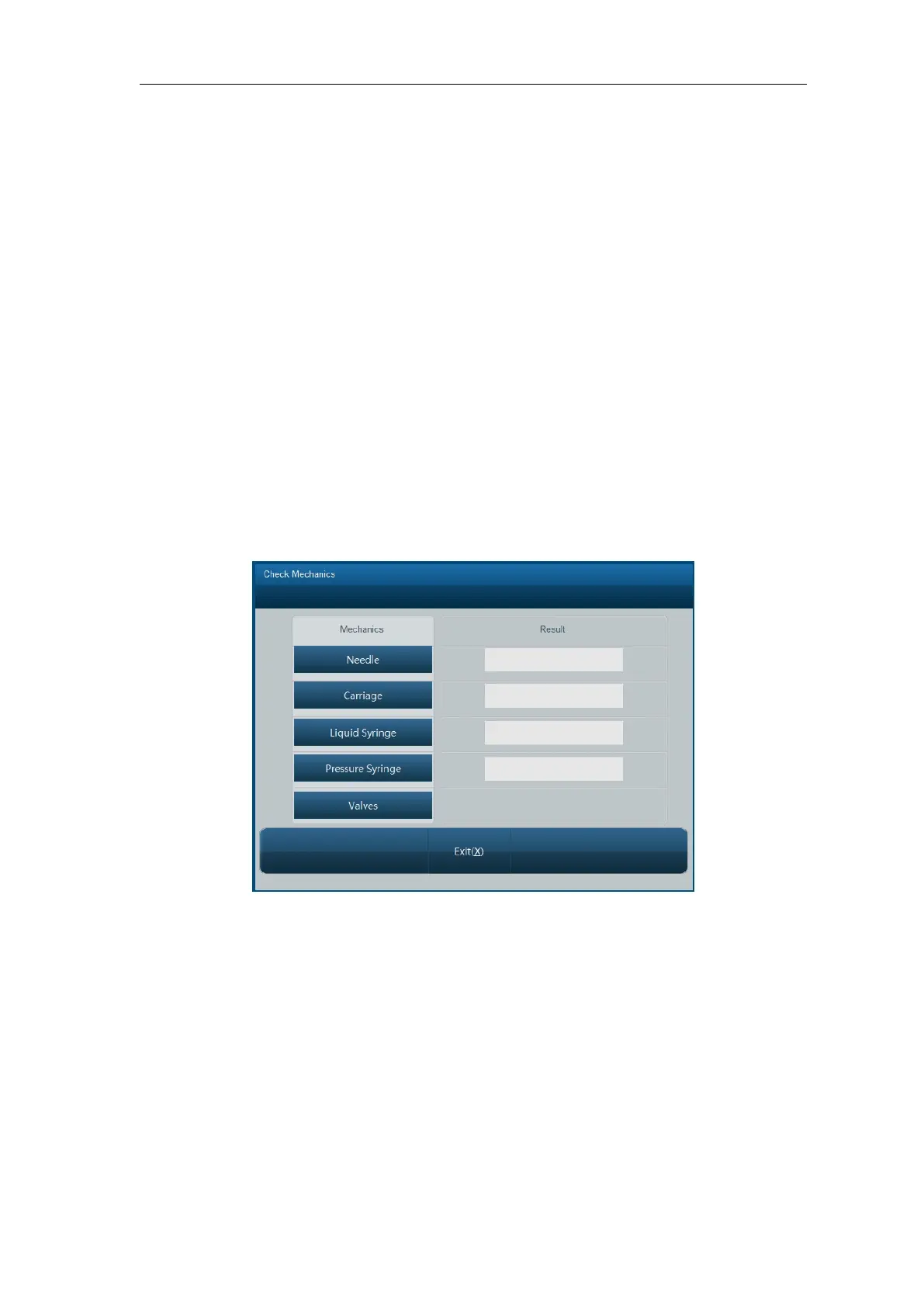
In Service menu, click “Check Mechanics” key, open mechanical test menu as below:
Fig.10-1 Mechanical test
Click “Needle”, “Carriage”, “Liquid Syringe”, “Pressure Syringe”, respectively, the instrument
will test working condition of these components respectively; the results will be shown in
corresponded boxes on the right.
While component is moving, carefully watch whether component movement is smooth and
uniform, if there is still anomaly after repeated tests, please contact Rayto customer service
department.
Click “Valves” button, open solenoid valve test screen as shown below:



 To Next Page