EasyManua.ls Logo

RealMan RM65-B - Online Programming

Default Icon
84 pages
Print Icon
To Next Page IconTo Next Page
To Previous Page IconTo Previous Page
Loading...
RealMan (Beijing) Intelligent Technology Co., Ltd.
44
Fig. 8-23 The communication status display icons.
8.3 Online Programming
Users can program the RM65-B robot via the “online programming” interface to realize
the complex robot movement.
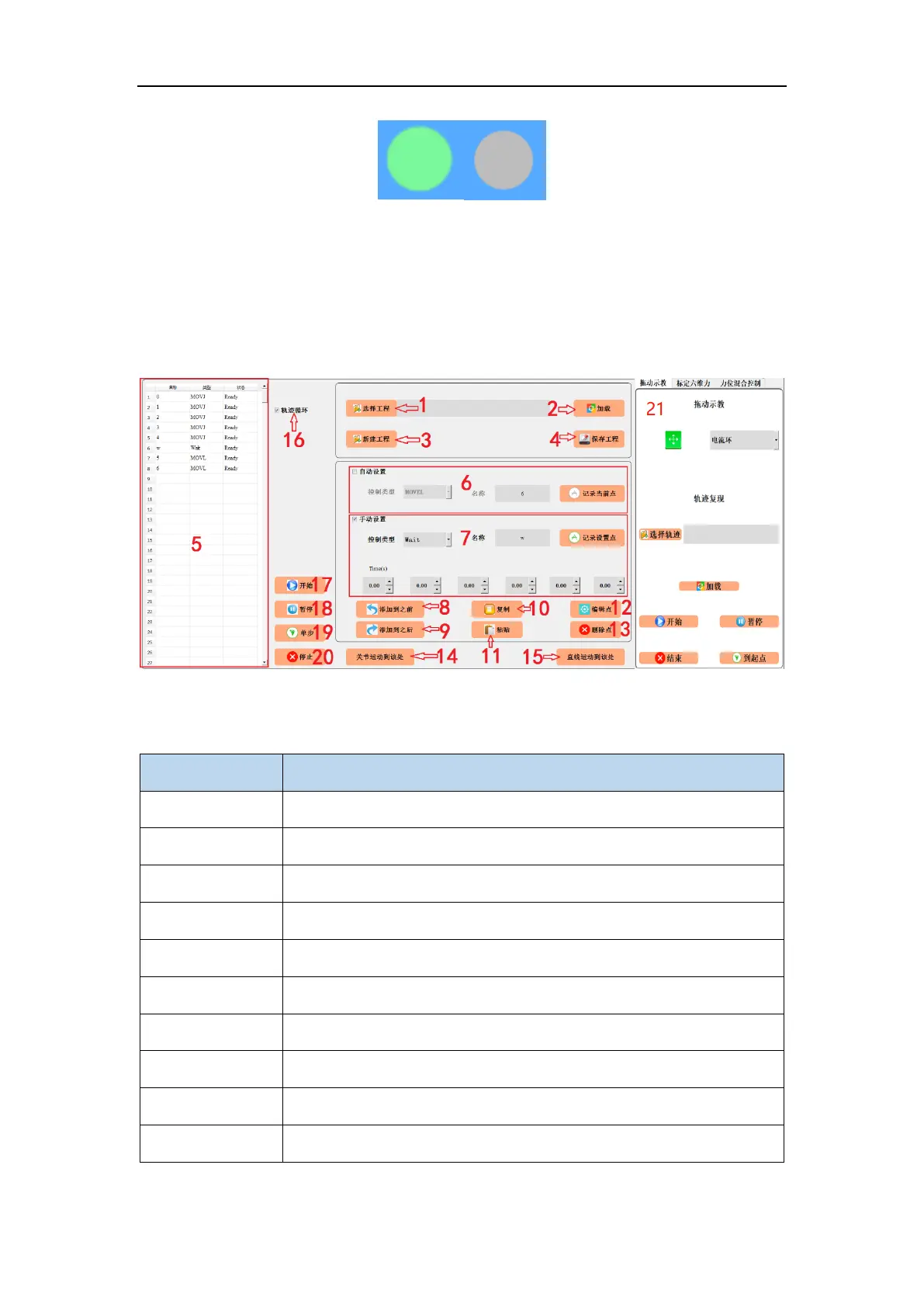
Fig. 8-24 The online programming panel.
Table 6 Online programming panel

#
Name
1
project file path selection button
2
import project button
3
new project button
4
save project button
5
project content display area
6
automatic setting of a programmable point
7
manual setting of a programmable point
8
add-to-before button
9
add-to-after button
10
copy button

Table of Contents