RealMan (Beijing) Intelligent Technology Co., Ltd.
53
record the location information.
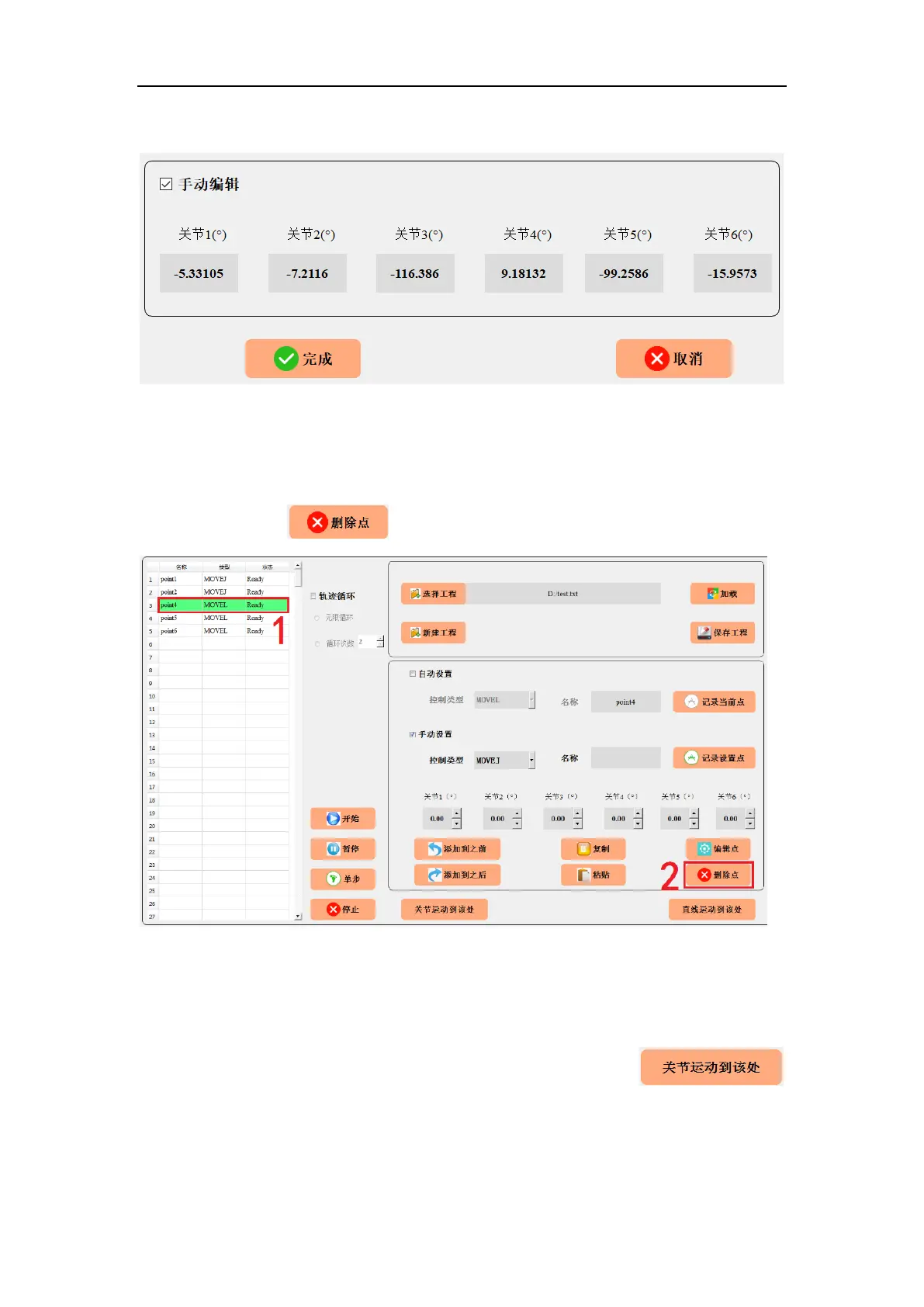
Fig. 8-35 Manually editing a programmable point.
8.3.13 Delete a Programmable Point
Delete a point:Select the programmable point to be deleted in the display area on the
left, and then click button.
Fig. 8-36 Deleting a programmable point.
8.3.14 Move the Joint to the Current
First, click the target point at the left programmable point display area (the background
color of the target point will turn green). Second, long hold the
button and the robot arm will go to the target point through joint space planning. Release
the button and the motion stops.



 To Next Page