RealMan (Beijing) Intelligent Technology Co., Ltd.
83
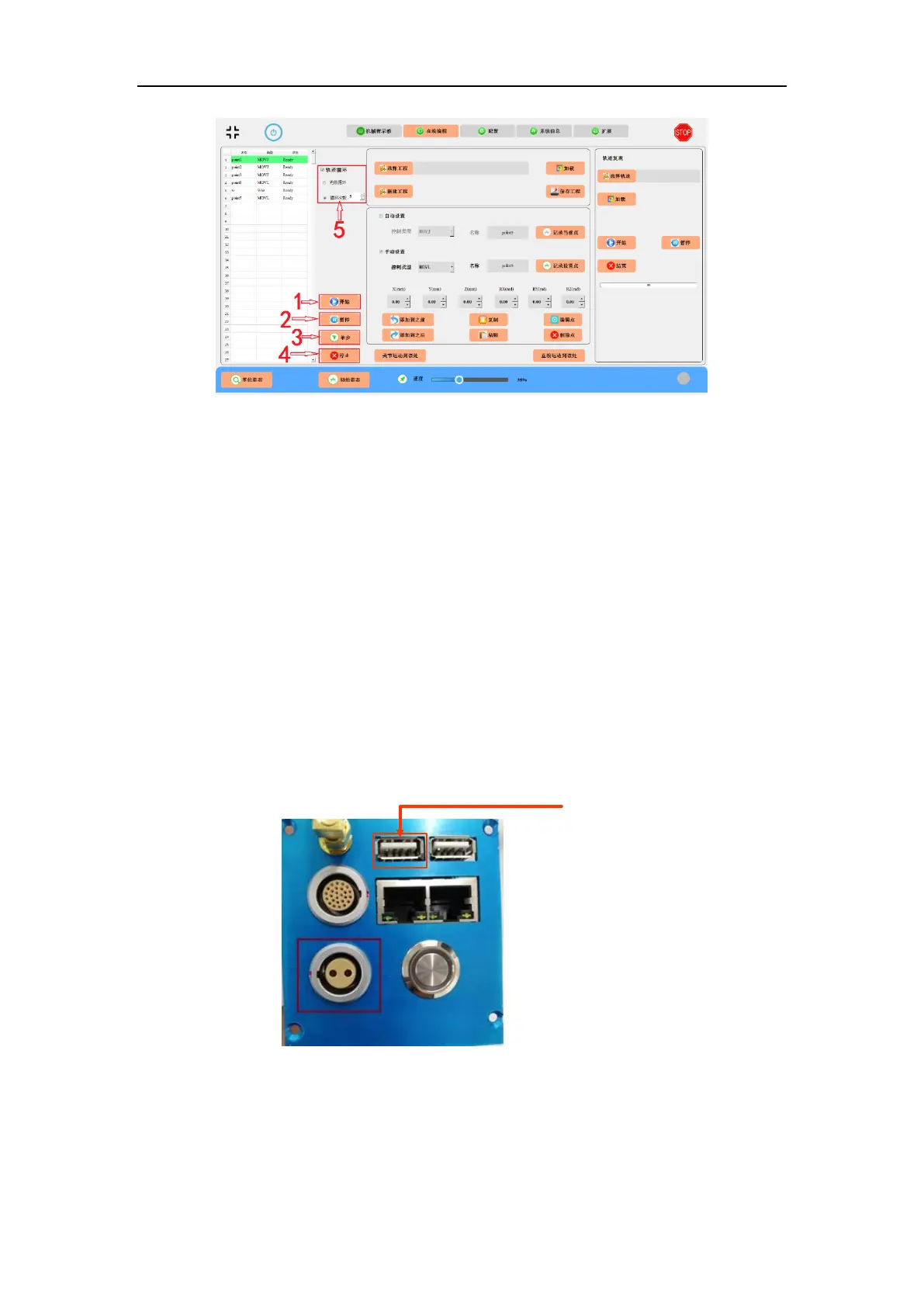
Fig. 9-14 Running a demo program.
Note: Not all spatial points can be reached by the robot arm. If the programmable point cannot be
reached, please set a new point.
10. System Update via USB Flash Drive
The system of the robot controller can be upgraded through the USB flash drive. The
specific operation steps are as follows:
(1) Turn off the power supply of the robot arm.
(2) Copy the .bin upgrade file provided by the manufacturer to the bin directory of
the USB flash drive.
(3) Plug the USB flash drive into the USB port of the controller, as shown below.
Fig. 10-1 The USB port for system upgrade.
(4) Turn on the power of the robot to start the upgrade. Multiple system files can
be upgraded at a time. When a file is upgraded, the buzzer of the robot arm will ring



 To Next Page