RealMan (Beijing) Intelligent Technology Co., Ltd.
50
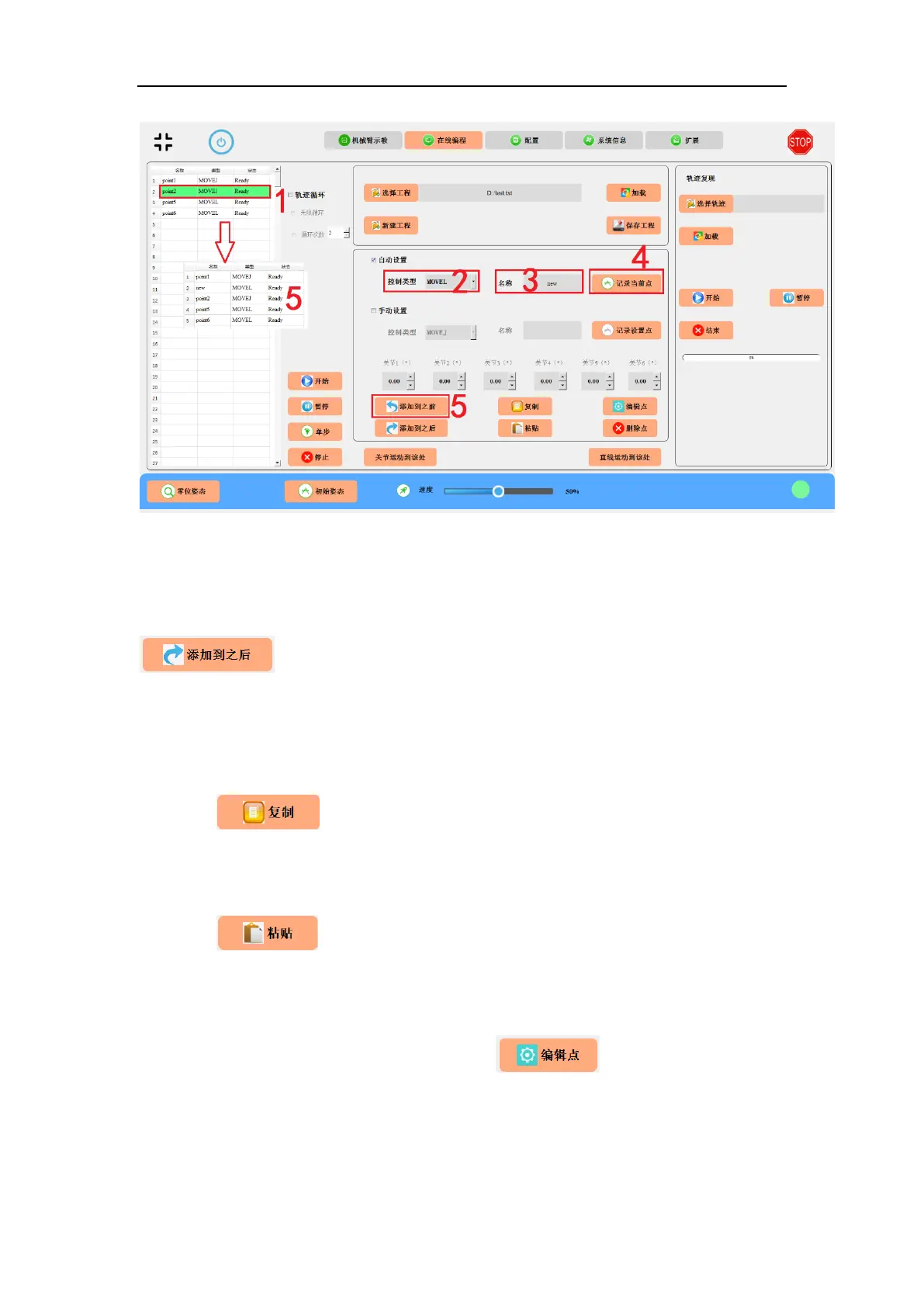
Fig. 8-30 Inserting/adding a new programmable point.
8.3.9 Insert Points After the Current
After manually or automatically recording programming points, clicking the
button, by default, will add the newly created programming points
to the end of the project. Users can also select a line in the project content display
column and add it after the line of program.
8.3.10 Copy
Click the button to copy the instruction and location information of the
selected line.
8.3.11 Paste
Click the button to paste the copied information to the previous line of
the selected line.
8.3.12 Edit a Programmable Point
Select the point you want to edit and then click button to edit. Users can
modify the name, control type and position information of the point. There are two
ways to modify the position information: automatic and manual editing.



 To Next Page