RealMan (Beijing) Intelligent Technology Co., Ltd.
75
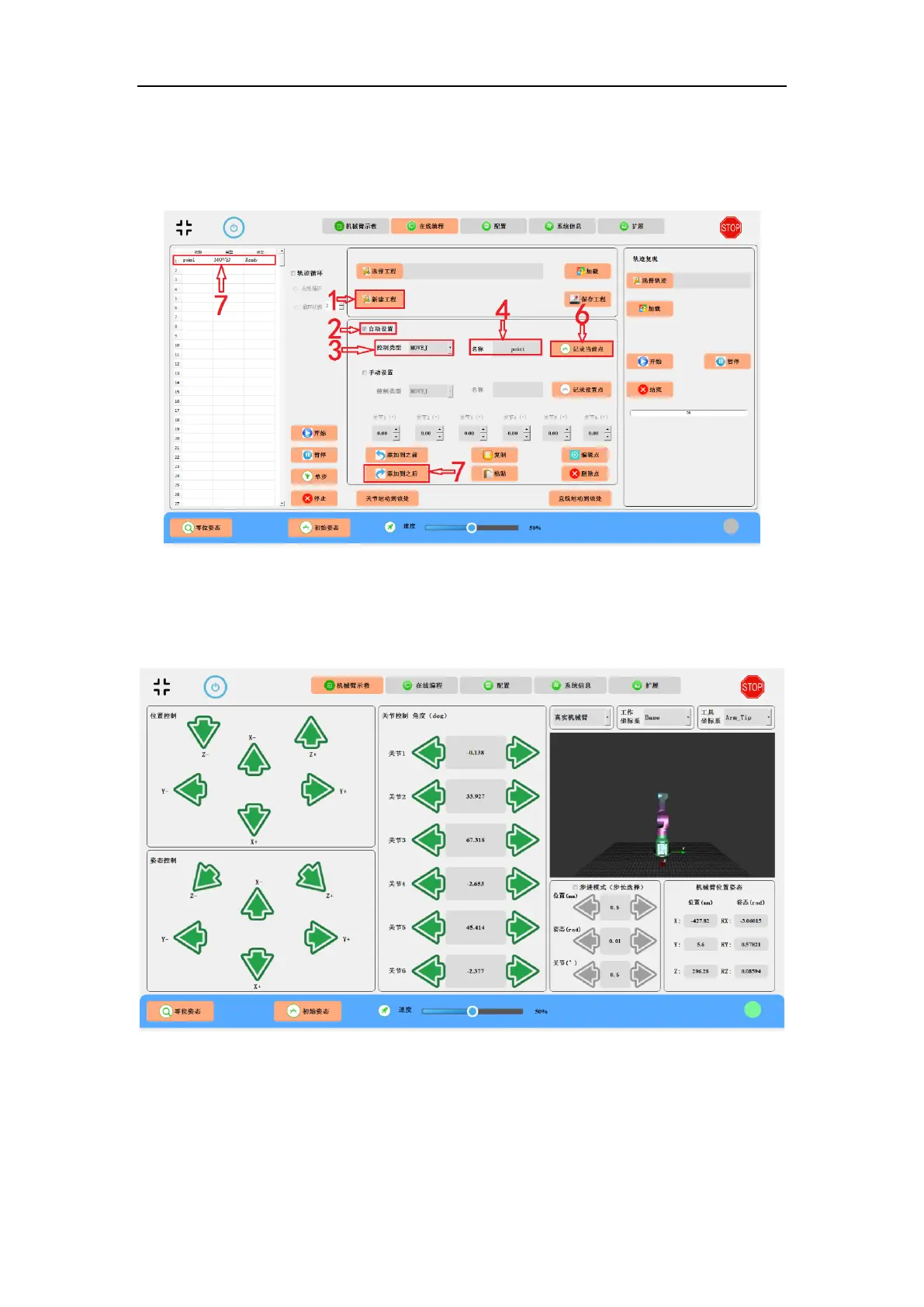
3. Select control method, e.g., MOVEJ.
4. Input a name for the point, e.g., “point1”.
Fig. 9-1 Automatic setting a programmable point, i.e., point1.
5. Go to “Teaching the Robot” panel and move the robot to the first target
programmable point of point1.
Fig. 9-2 Teaching the robot to point1 through the teaching panel.
6. Back to “Online Programming” interface in Fig. 9-1 and click “Record the Current
Point” button.
7. Click the “Add-to-After” button to add the point to the display area. (The first point



 To Next Page