COPYRIGHT © 2015 RED.COM, INC
RED DSMC OPERATION GUIDE: WEAPON
955-0116_V6.1, REV-H | 100
calibration at the temperature you want to use for your shoot.
FAN CONTROL MODES
Select a fan control mode.
NOTE: After selecting a new fan setting, run the DSMC until the core temperature stabilizes, and then perform
a black shading calibration.
NOTE: Manual mode requires that you actively manage the sensor temperature, because this mode focuses on
controlling fan speed and does not target a narrow sensor temperature range. Use the T/E status indicators as
guides for proper temperature calibration.
NOTE: Maximum speeds are intended as target speeds only; actual fan speeds may be higher at times due to
long recording times or high ambient temperatures.
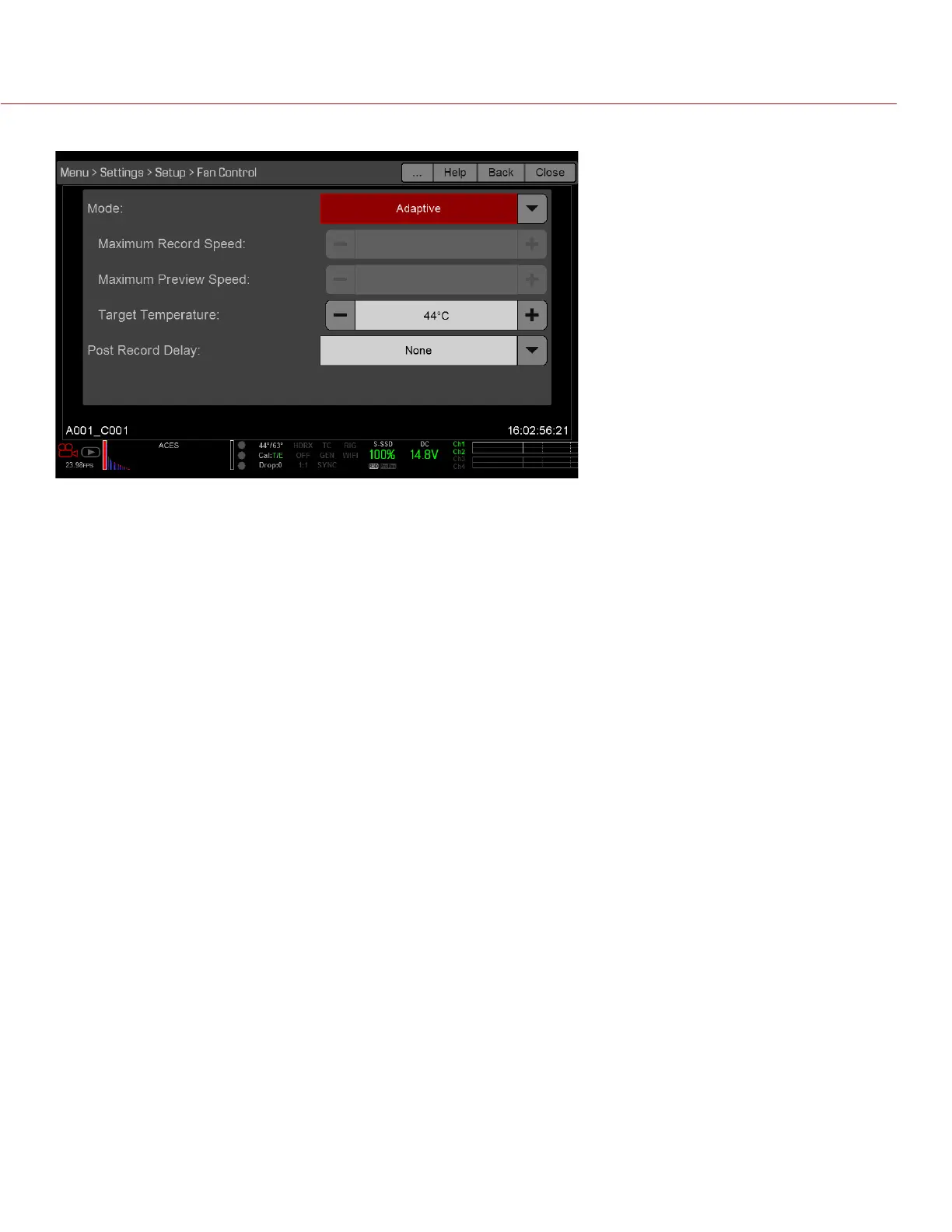
ADAPTIVE
Adaptive is the default mode for WEAPON DRAGON.
Select a target temperature and the fans self-adjust to maintain the selected temperature. The default target
temperature is 39°C. After the camera reaches the target temperature, and if the ambient temperature remains
constant, Adaptive mode results in a consistent fan speed and fan noise over time.
Targeting a higher temperature raises the sensor temperature, lengthens the sensor warm-up time, and lowers
the fan speed. Targeting a lower temperature lowers the sensor temperature, shortens the sensor warm-up
time, and increases the fan speed.
ADAPTIVE PREVIEW QUIET RECORD
NOTE: Target Temperature only affects standby mode.
Record mode: The camera uses Quiet fan mode. For more information, go to “Quiet” on page 100.
Standby mode: The camera uses Adaptive fan mode. For more information, go to “Adaptive” on page 100.
QUIET
The fans self-adjust to maintain the lowest possible noise level in record and standby mode while still cooling
the DSMC.
MANUAL
Select a speed for the fans in both record and standby modes. The fans self-adjusts to maintain the selected
speeds. The default Maximum Record Speed is 75% and the default Maximum Preview Speed is 75%. The
range for both Maximum Record Speed and Maximum Preview Speed is 25–100%.



 To Next Page