COPYRIGHT © 2015 RED.COM, INC
RED DSMC OPERATION GUIDE: WEAPON
955-0116_V6.1, REV-H | 16
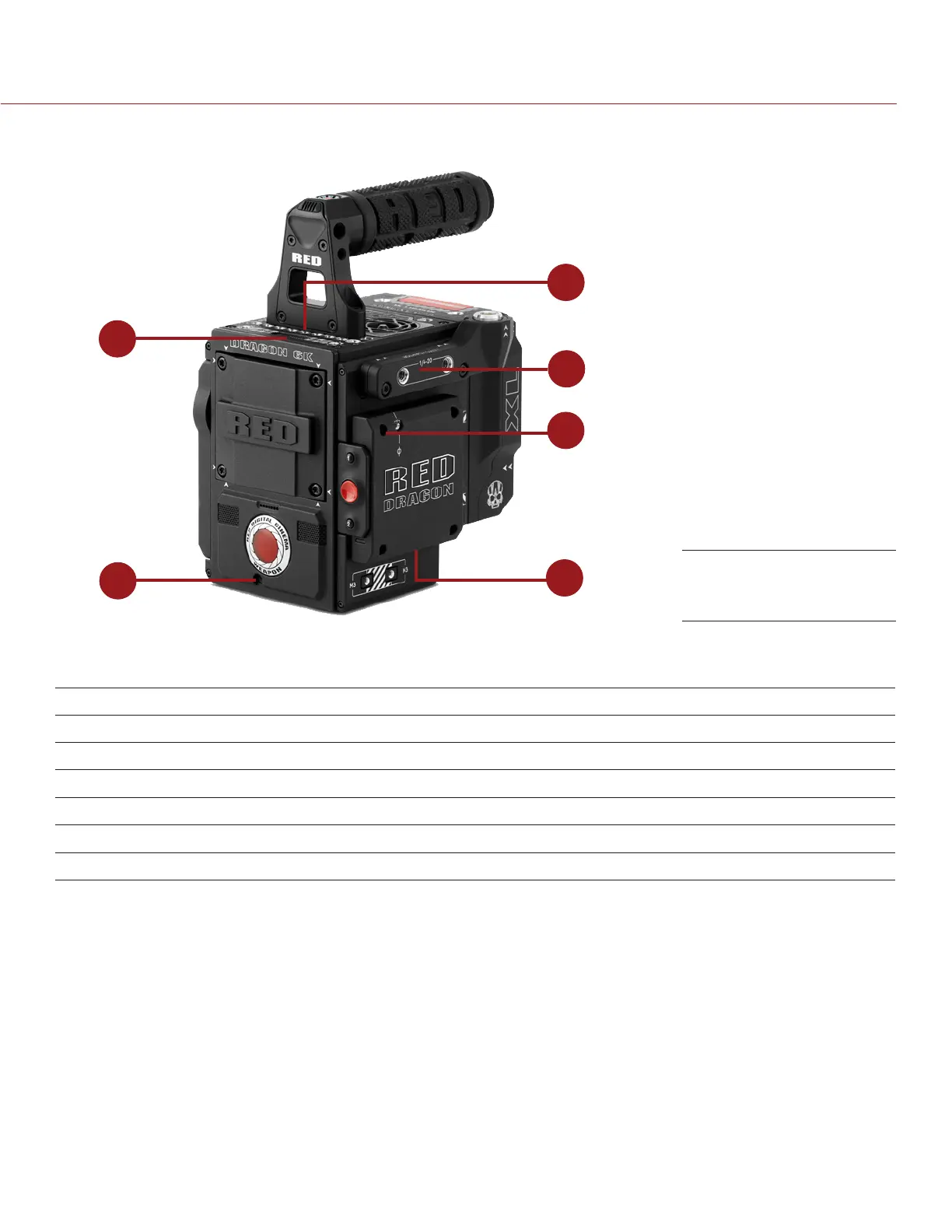
BRAIN CONNECTORS, FOCUS HOOK, AND BACK FOCUS
5
4
6
1
2
3
This section describes the ports and features on the BRAIN.
NOTE: For more information on how to install the focus hook, go to “Install the Focus Hook” on page 36.
# PORT/ITEM DESCRIPTION
1 Primary EVF/LCD Port
1
Mount a DSMC
2
RED Touch LCD
2 Top Handle Port
2
Mount the DSMC
2
Top Handle
3 Secondary EVF/LCD Port
1,3,4
Mount a DSMC
2
RED Touch LCD
4 Focus Hook Mounting Point Mount the focus hook
5 Focus Hook Storage Location Store the focus hook
6 Back Focus Adjustment Screw Adjust back focus
1. The DSMC
2
LEMO Adaptor A allows you to mount other RED
®
displays.
2. Shown with the DSMC
2
Top Handle attached. This is the only mounting option for the DSMC
2
Top Handle (it cannot be attached back-
ward).
3. The secondary LCD/EVF port and an HDMI
®
port cannot be used at the same time. For more information, go to “LCD/EVF 2 / HDMI
Select” on page 65.
4. Shown with the DSMC
2
LEMO Adaptor A attached.
WEAPON BRAIN
Ports and Features



 To Next Page