TRIP COMPUTER
2
146 - Getting to know your vehicle
Clock and outdoor temperature
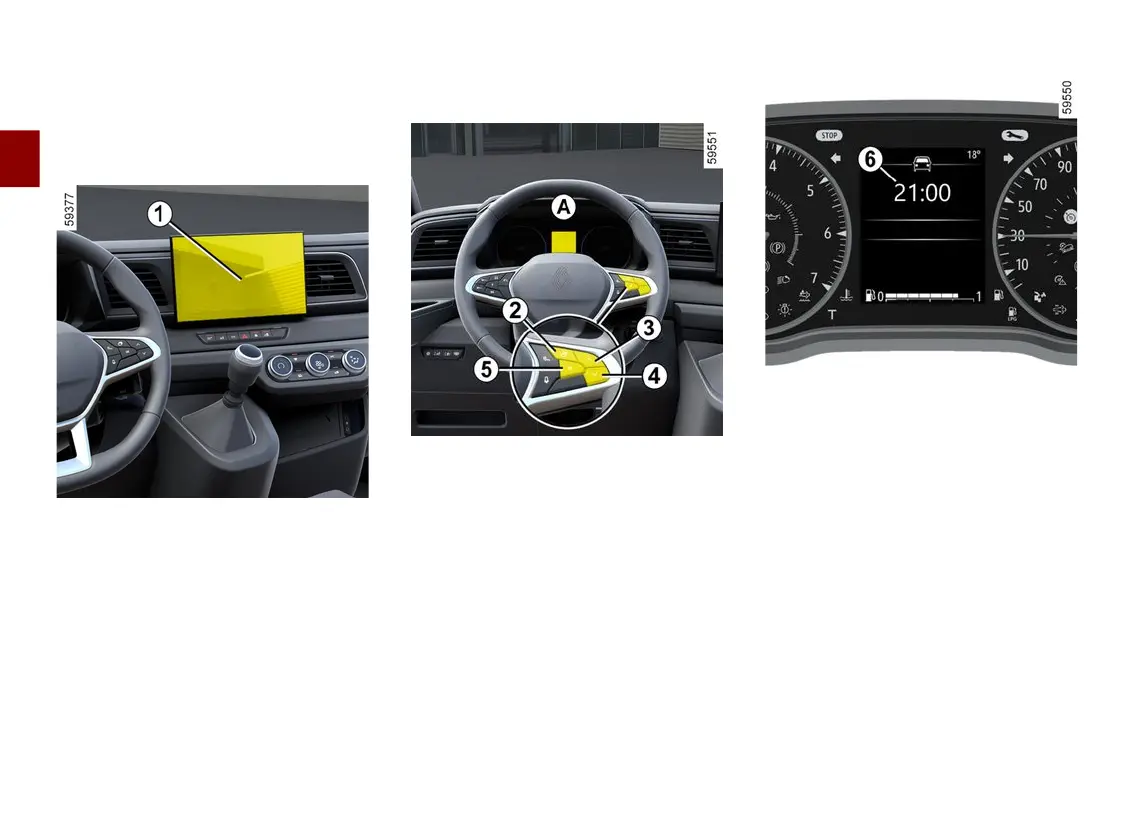
Vehicles fitted with a multimedia
screen
1
,navigationsystem,tele
phone, etc.
Refer to the separate instructions for
the function to understand the special
features of this equipment.
Vehiclesnotfittedwithamultime
dia screen, display A
Press the switch
2
as many times as
required to reach the "Vehicle" tab.
Repeatedly press control
3
or
4
toac
cess the time setting function
6
.
Press and hold switch
5
"OK" until the
time flashes.
Set the hour using control
3
or
4
, then
press the switch
5
"OK" to confirm.
Set the minutes using control
3
or
4
,
then press the switch
5
"OK"tocon
firm.











 To Next Page