REAR VIEW
2
Getting to know your vehicle - 157
Thisfunctionisanaddi
tional aid. It cannot,
therefore,underanycir
cumstances replace the
vigilance or the responsibility of
the driver.
The driver should always be
ready for sudden incidents while
driving: always ensure that there
arenosmall,narrowmovingob
stacles (such as a child, animal,
pushchair, bicycle, stone, post,
etc.)intheblindspotwhenma
noeuvring.
Adjusting the rear view mirror
2
If reflections reduce the visibility of the
view transmitted by the camera, you
can adjust the rear view mirror
2
to the
left, right, upwards or downwards.
Operation
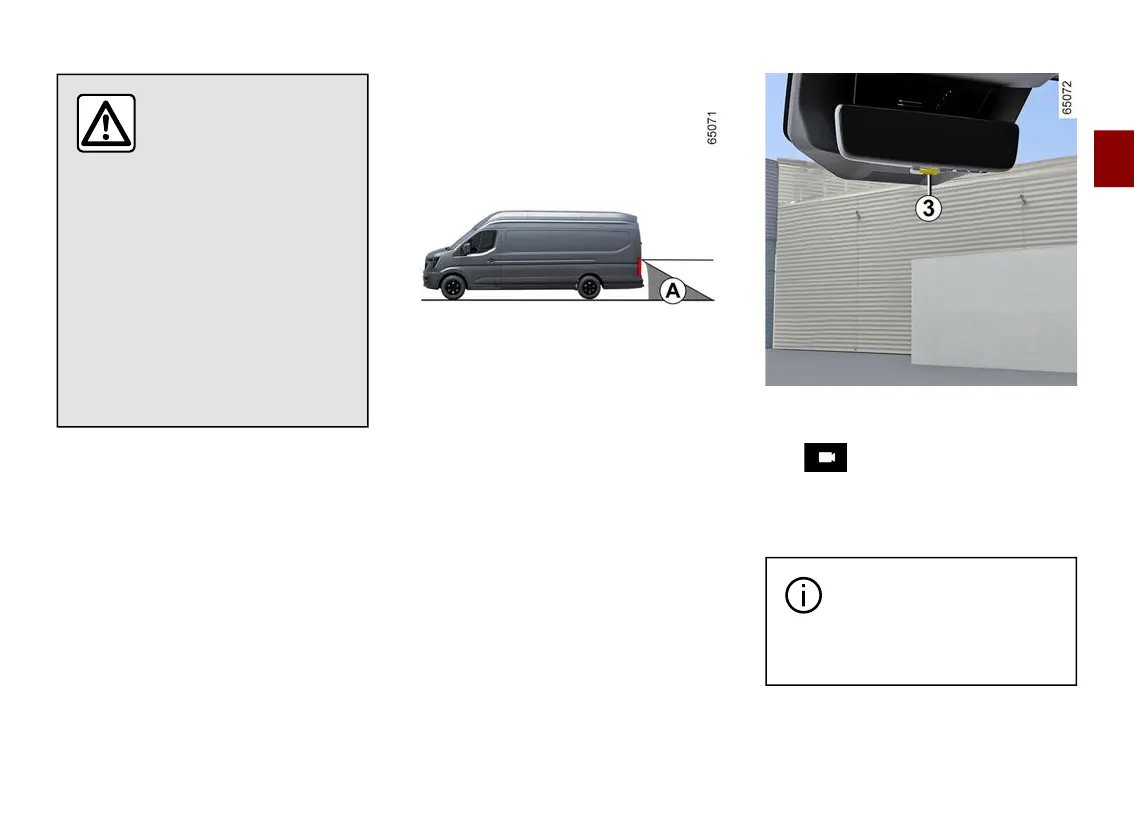
The camera's field of vision does not
covertheentireareabehindthevehi
cle, especially in the blind spot area
A
.
Use the lever
3
to switch between
"mirror" mode and "screen" mode.
The symbol shown at the top
left-hand side of the rear view mirror
indicatesthat"screen"modeiswork
ing properly.
Each time the vehicle is
started, the function returns
to the settings saved at the
last engine stop.











 To Next Page