PARKING AIDS
3
Driving - 269
If a side obstacle is detected:
– the beeps become faster and then
sound continuously as the obstacle
getsnearer.Theareawheretheobsta
cle
3
has been detected is displayed
(display
D
);
– if there is no risk of collision, no
beep will sound when approaching the
obstacle. Depending on the vehicle,
the area where the obstacle
3
has
been detected is shown interspersed.
In the event of a change in
trajectoryduringamanoeu
vre, the risk of collision with
an obstacle may be signalled late.
Activation/deactivation
Activation/deactivation from the
multimedia screen
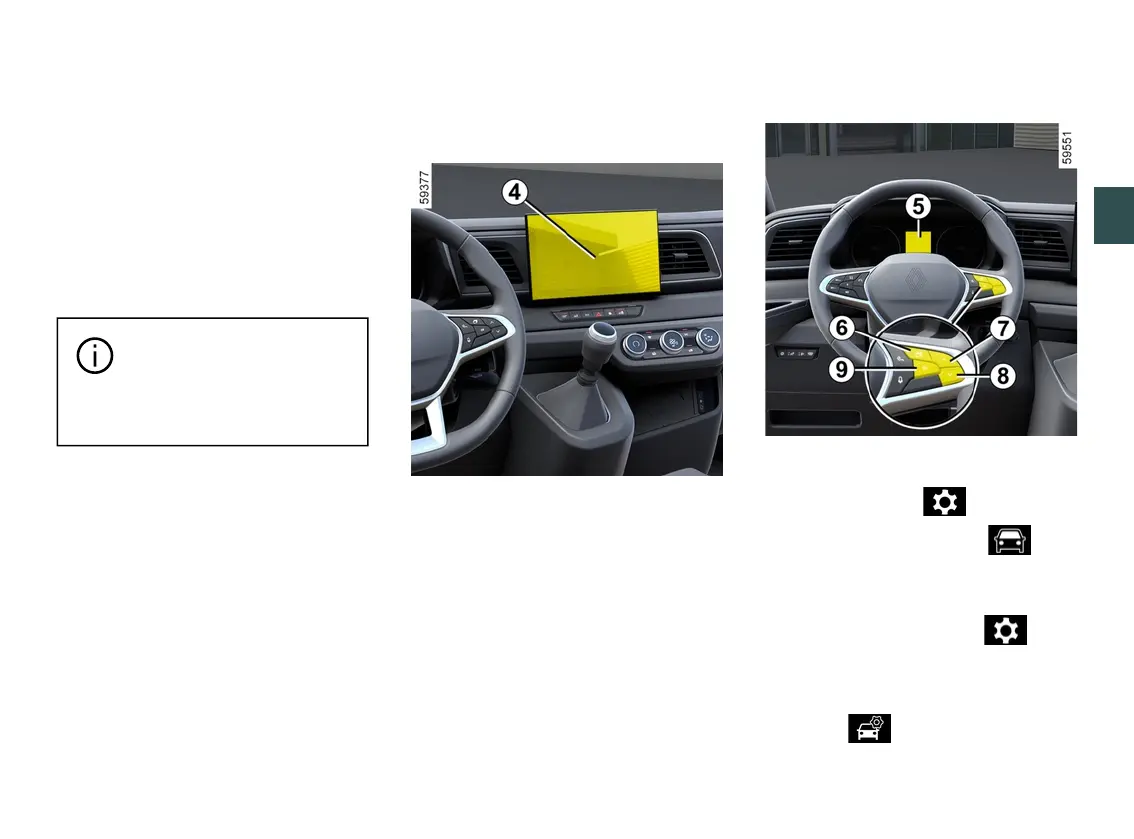
4
Fromthe"Vehicle"worldonyourmulti
media screen
4
, press the "Parking
aids" menu.
Activate or deactivate areas covered
by the ultrasonic detectors.
Pleaserefertothemultimediainstruc
tions for more information.
Note: depending on the vehicle, the
"rear"detectionzonecannotbedeacti
vated.
Activating/deactivating the system
from the trip computer
5
– With the vehicle stationary, press
theswitch
6
asmanytimesasre
quiredtoreachthe tabor,de
pending on the vehicle, the tab;
or
– press switch
6
and repeatedly press
control
7
or
8
to reach the tab;
– depending on the vehicle, press
switch
9
OK;
– repeatedly press control
7
or
8
to
reach the menu, then press
switch
9
OK;











 To Next Page