22
FACTORY SETTINGS
User Access Code: 1 2 3 4
Alarm Duration: 3 minutes
Hardwired Siren: Equal to Alarm Duration
Zone Operating Mode: Intruder (all zones)
Part-Arm: Zones 1-4: Enabled
Zones 5-6: Disabled
Instant/Delay: Zone 1: Delay
Zones 2-6: Instant
Entry/Exit Delay: 30 seconds
Entry/Exit Warning Tone: On
Zone Lockout: On
Jamming Detection: Off
RESET FACTORY SETTINGS
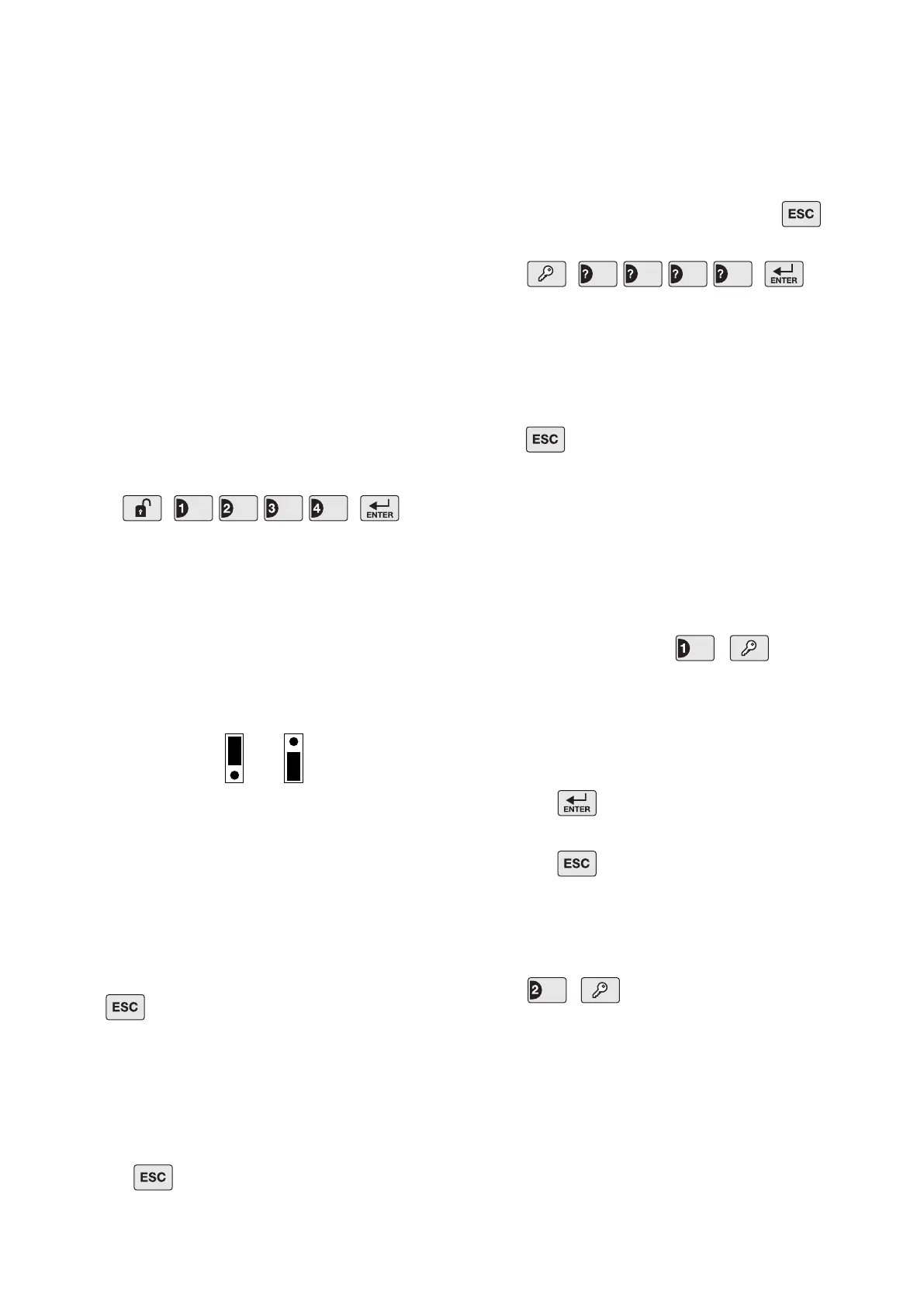
1. Press
This puts the system into Test Mode.
2. Undo the Control Panel cover xing screws and
open the cover.
3. Remove the DC power jack, then remove and
disconnect one of the back-up batteries.
4. Set jumper link P1 to the ON position.
5. Reconnect the power supply jack.
6. The Control Panel will now reset itself with all factory
settings.
The Control Panel will beep and the zone 6 LED will
illuminate when the factory settings are restored to
memory.
Press to clear the switch off the illuminated LED.
7. Reconnect and replace the back-up battery.
8. Reset jumper link P1 into the OFF position.
9. Close the Control Panel cover and ret the xing
screws.
10. Press to return to Standby.
PROGRAMMING
INSTRUCTIONS
With the system in Standby (i.e. with the Power LED
ON).
Note: To get to Standby Mode simply press
repeatedly until only the POWER LED is illuminated.
Press
The Arm and Part-Arm LEDs will illuminate and all
Zone, Fire and tamper LEDs will ash.
The system is now in Program Mode
Note: After programming all required functions
press to leave Program Mode and return to
Standby.
USER ACCESS CODE
This allows the 4 digit User Access code to be changed
to your own unique code which only you and other
system users should be aware off.
Default setting: 1 2 3 4
To change the setting press ,
Zone LEDs 1-4 will illuminate.
Enter the new 4 digit User Access Code. As each
digit is entered, an illuminated zone LED will be
turned OFF.
Press to save the new setting and exit to
Program Mode, or
Press to exit without saving.
SYSTEM HOUSE CODE
This enables the system house code of the Control
Panel to be congured.
Press ,
The current House Code setting will be displayed on
the status LEDs with an illuminated LED indicating a
setting of “1” in the House Code and LEDs which are
OFF indicating a “0”.
User Access Code
OFF ON
Jumper
Link
Reset Jumper
Link P1
Jumper
Link
User Access Code


 To Next Page