27
ARMING THE SYSTEM
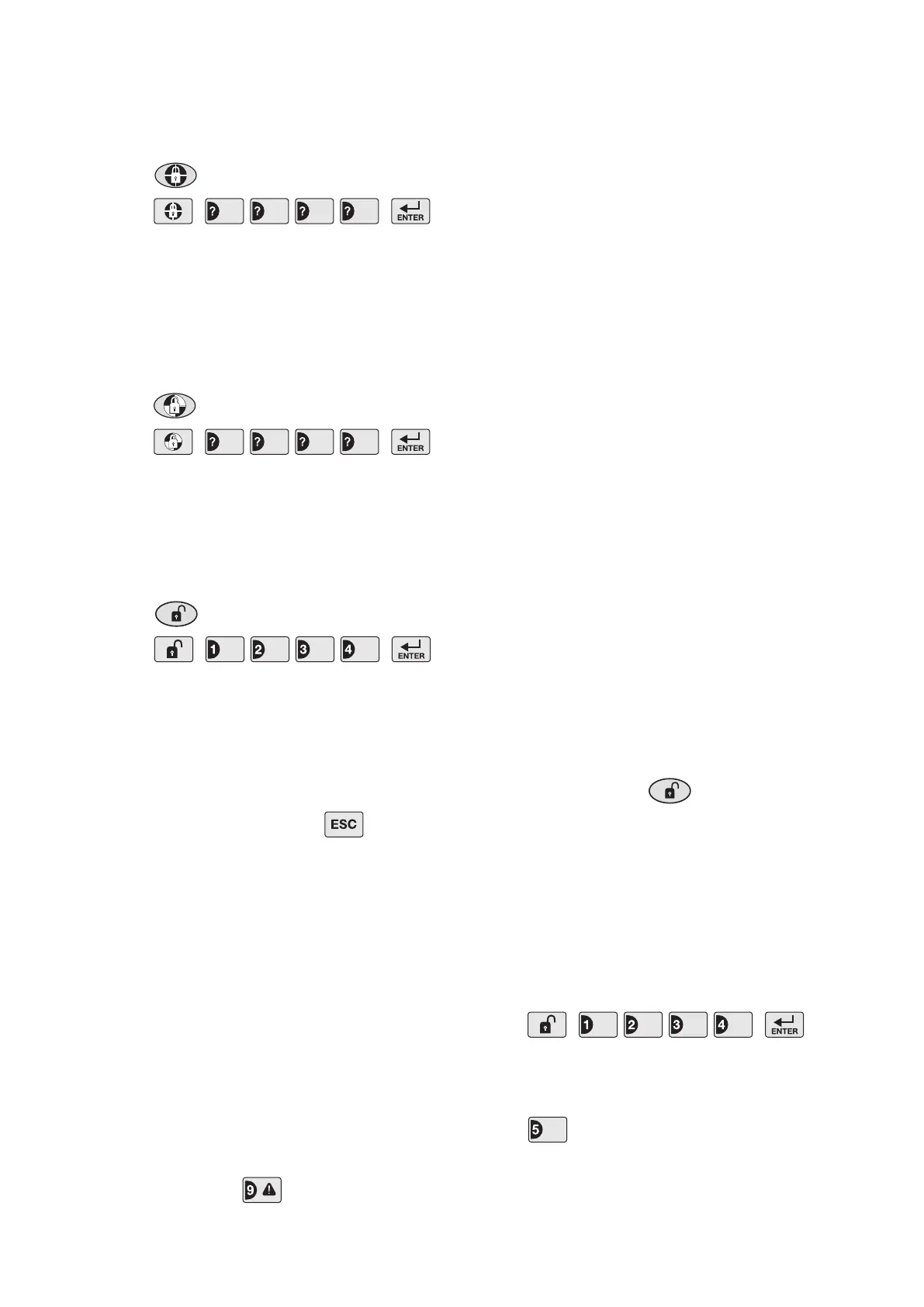
The system can be set in FULL ARM mode using either
the Remote Control or the Control Panel as follows:
a. Press on the Remote Control, or
b. Press
on the Control Panel.
PART-ARMING THE SYSTEM
The system can be set in PART-ARM mode using
either the Remote Control or the Control Panel as
follows:
a. Press on the Remote Control, or
b. Press
on the Control Panel.
DISARMING THE SYSTEM
The system can be Disarmed using either the Remote
Control or the Control Panel as follows:
a. Press on the Remote Control, or
b. Press
on the Control Panel.
If the system has been triggered and an alarm has
sounded, then the appropriate LED will be illuminated
to indicate which zone(s) have triggered the alarm.
Make a note of the zone(s) indicated to assist in tracing
the cause of the alarm and then press to clear
the indication and return the system to Standby.
Note: If the system is Disarmed with the Remote
Control the Siren will beep twice, (unless the warning
beeps have been disabled on the Siren).
PERSONAL ATTACK (PA) ALARM
An Alarm can be immediately triggered at any time
(whether the system is Armed or Disarmed) in the
event of threat or danger by activating a Personal
Attack (PA) switch on either the Remote Control or the
Control Panel as follows:
a. Slide the Personal Attack switch on the Remote
Control upwards, or
b. Press and hold the button for
approximately 3 seconds on the Control Panel.
The alarm will continue either for the alarm duration
after which the system will automatically reset or until
the system is disarmed.
DEVICE TAMPER
If the battery cover of any device (except a Remote
Control) is removed or if the Siren or Control Panel are
removed from the wall then an alarm will immediately
occur (unless the system is in Test or Program Modes),
even if the system is Disarmed.
The Tamper LED on the Control Panel will illuminate to
indicate the Tamper Alarm has been activated.
Note: The Tamper protection facility on the Siren
operates independently of the Control Panel. If
the Tamper on the Siren is activated this will not be
indicated at the Control Panel.
SIREN SERVICE MODE
In order to remove the Solar Siren from the wall to
change the batteries, it is necessary to place the Siren
into Service mode to prevent the Tamper switch on
the Siren operating and triggering an alarm. When
you have completed any alterations to the system you
must remember to switch the siren back into Operating
Mode.
The Siren can be switched into Service mode using
either the Remote Control or Control Panel as follows:
Remote Control:
Press and hold the button for approximately
6 seconds.
The Siren will produce 2 short beeps as the
button is pressed followed by a single long beep
approximately 6 seconds later to indicate that it
has switched into service mode.
Control Panel:
With the system in Standby with the Power LED ON:
Press
to enter Test Mode. The Arm and Part-Arm LEDs will
ash.
Press to switch the Siren between Service Mode
and Operating Mode. LED 5 will illuminate to show that
the appropriate signal is being transmitted.
User Access Code
User Access Code
User Access Code
User Access Code


 To Next Page