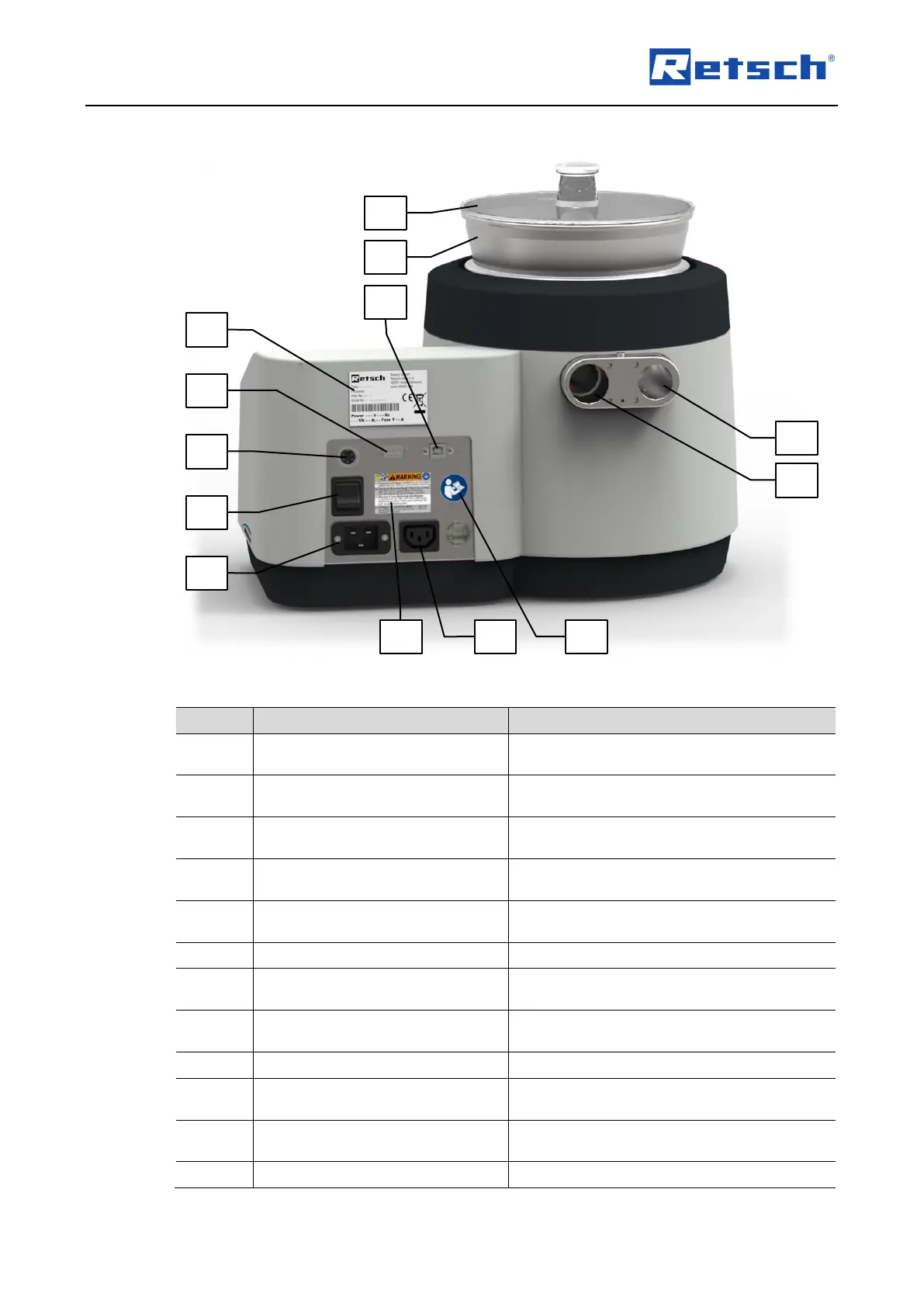
Fig. 12: Back view of the device
Connection for the automatic vacuum
regulation
Opening for air inlet and connection for the
silencer (F)
Opening for air outlet and connection for the
external suction device
Switches the device on and off, disconnects
the device from the mains
Warning sign "Disconnect from the
mains"
Warning of electric shock
Connection for the power cable
Connection for the external industrial
vacuum cleaner
Lists, among others, the voltage type, the
serial number and the type of the device
Reminds to read the manual
Data transfer between device and PC, used
to communicate with EasySieve
®
Data transfer between device and PC, only
for service purposes



 To Next Page