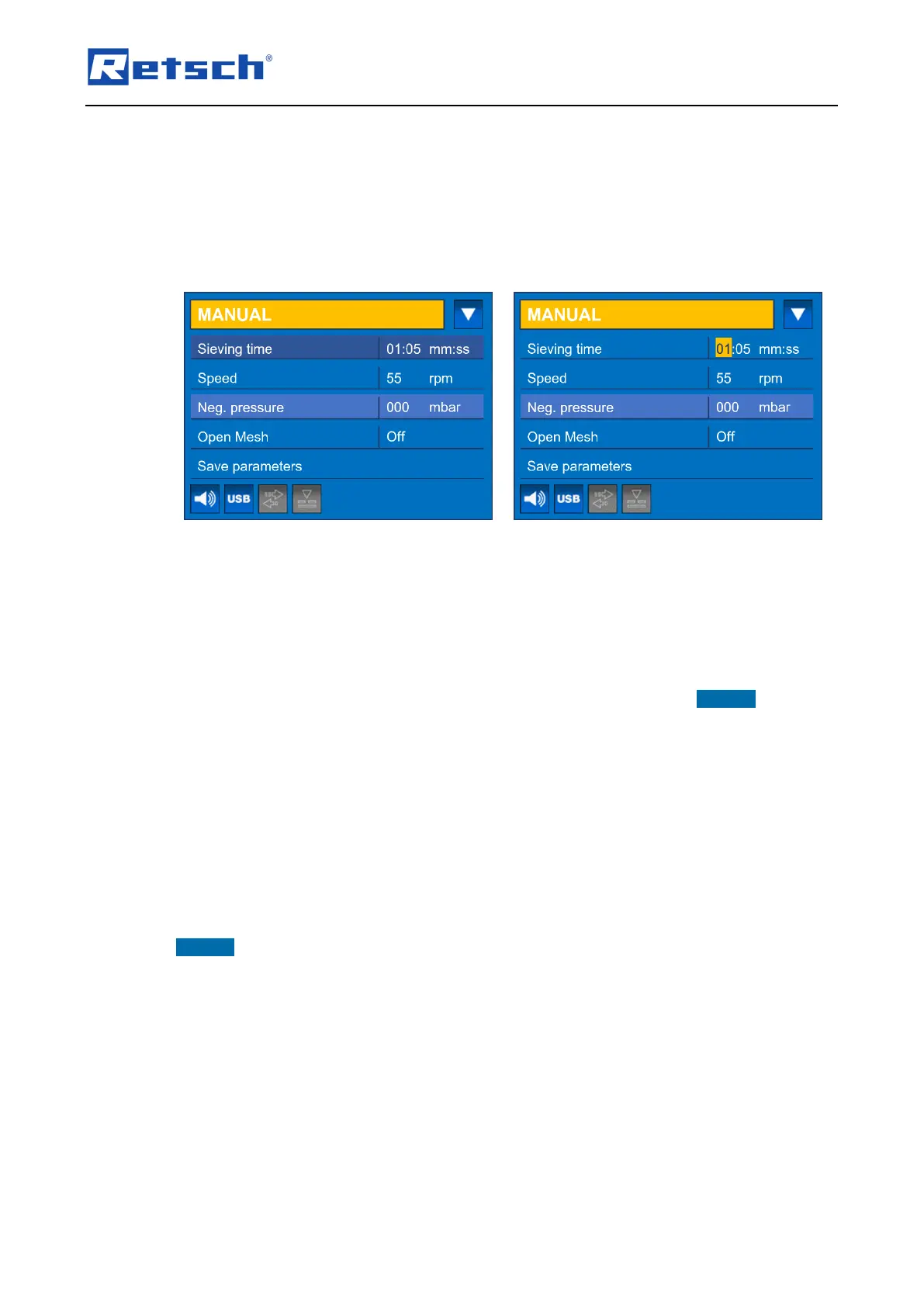
Use the rotary push button (H4) to navigate to the parameter to be edited. The parameter is
highlighted in a darker background.
Press the rotary push button to activate the value edit box. The edit box is highlighted in
yellow.
Turn the rotary push button until the desired value is displayed.
Press the rotary push button to save the value. The edit box is no longer highlighted in
yellow.
Sieving time:
The sieving time indicates the total duration of the sieving process. An arbitrary sieving time
between 00:10 and 99:59 (mm:ss) can be set. The sieving time is continuously counted down to
00:00 after the start of the sieving process.
Speed:
The speed (revolutions per minute) can arbitrarily be set between 5 and 55. NOTICE With the
open mesh function activated, the speed is fixed at 10 rpm.
Neg. pressure:
The setting of the negative pressure depends on the configuration of the device:
When the manual vacuum regulation (G) is connected, the negative pressure indicates
the actual value during the sieving process, either in Pa, mbar or psi. A setting is not
possible. The parameter is highlighted in a somewhat lighter background and cannot be
selected.
When the automatic vacuum regulation is connected, the desired negative pressure
can be set.
NOTICE Make sure that the negative pressure during the sieving process is always less than
100 mbar (10 000 Pa or 1.45 psi).
7.3.2 Activatable or Deactivatable Parameters
The following parameters can be activated or deactivated:
Open Mesh
Vac cleaner
Open Mesh:
The open mesh function of the AS 200 jet has proven to be very helpful in removing very
effectively near-mesh particles from the sieve mesh fabric. This function causes the nozzle (B)
to move unsteady underneath the test sieve. According to the principle of "two steps forward,



 To Next Page