Start the sieving process via the button:
Press the button (H3) to start the sieving process with the parameters specified under
the operating mode "QUICK START".
7.6 Programme Mode
Often different but perseverative sample materials with individual sieving parameters are being
processed. For such samples, individual parameter sets can be saved in programmes and
retrieved when needed.
There are nine programme memory positions available. The following sieving parameters can
be stored in the individual programmes:
Sieving time
Speed
Neg. pressure (only with automatic vacuum regulation)
Open Mesh
Please refer to Chapter "Sieving Parameters" for a detailed description of the parameter
settings.
7.6.1 Select a Programme
Turn the rotary push button (H4) until the navigation area (H5) is highlighted with a darker
background.
Press the rotary push button to activate the navigation area.
Turn the rotary push button until the desired programme is displayed.
Press the rotary push button to confirm the selection.
Press the button (H2) to start the sieving process in programme mode.
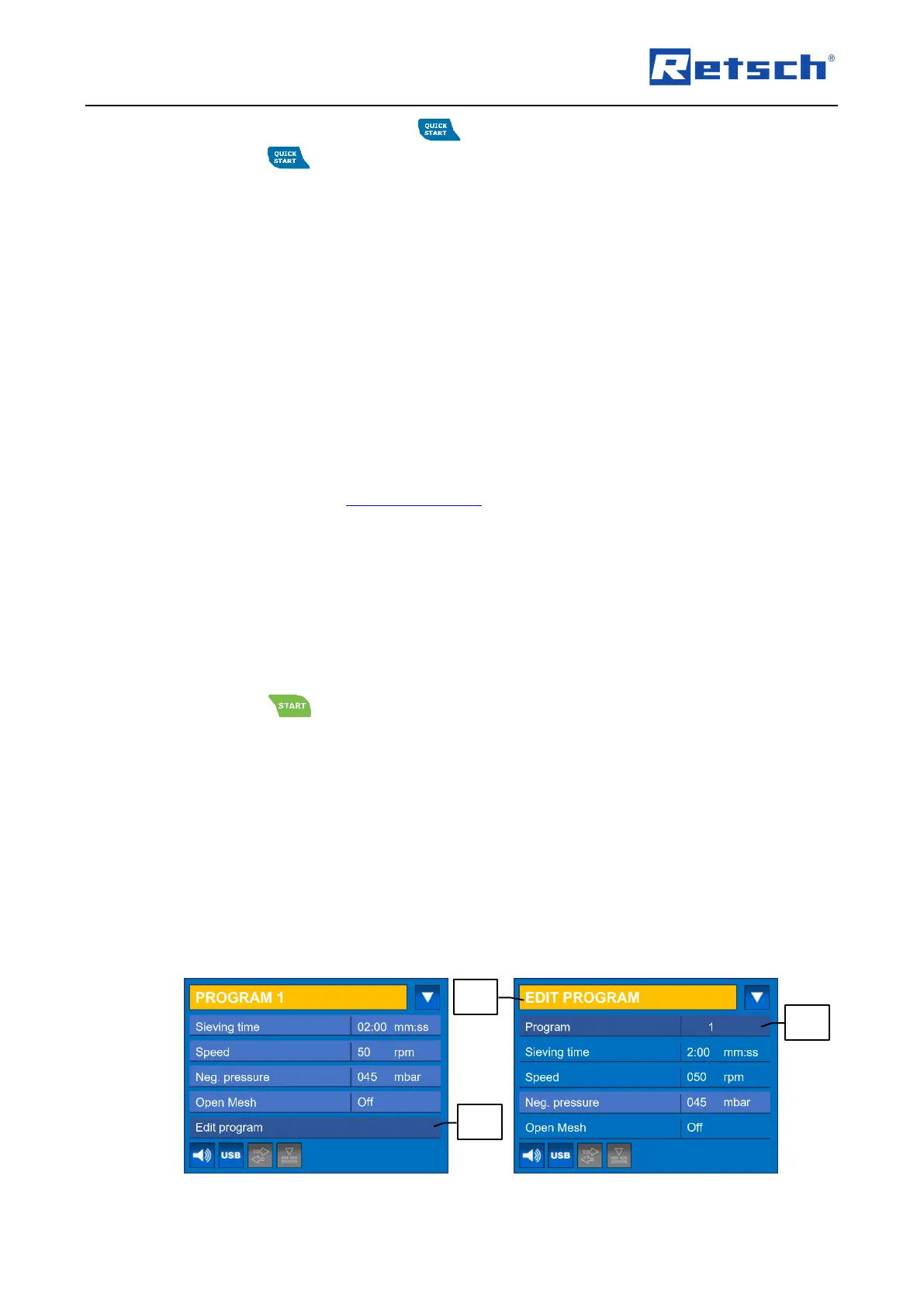
7.6.2 Edit a Programme
In programme mode, navigate to the menu item "Edit program" (H6.2).
Press the rotary push button to confirm the selection and to enter the submenu "EDIT
PROGRAM" (H5.2).
In the submenu "EDIT PROGRAM", the parameters of the active or any other programme
memory position including the "Quick start" mode can be edited.
The submenu "EDIT PROGRAM" is also accessible in "Quick start" mode.



 To Next Page