POP 3D Scanner User Manual
19 COPYRIGHT ©2021 REVOPOINT 3D ALL RIGHTS RESERVED
Operation Tips
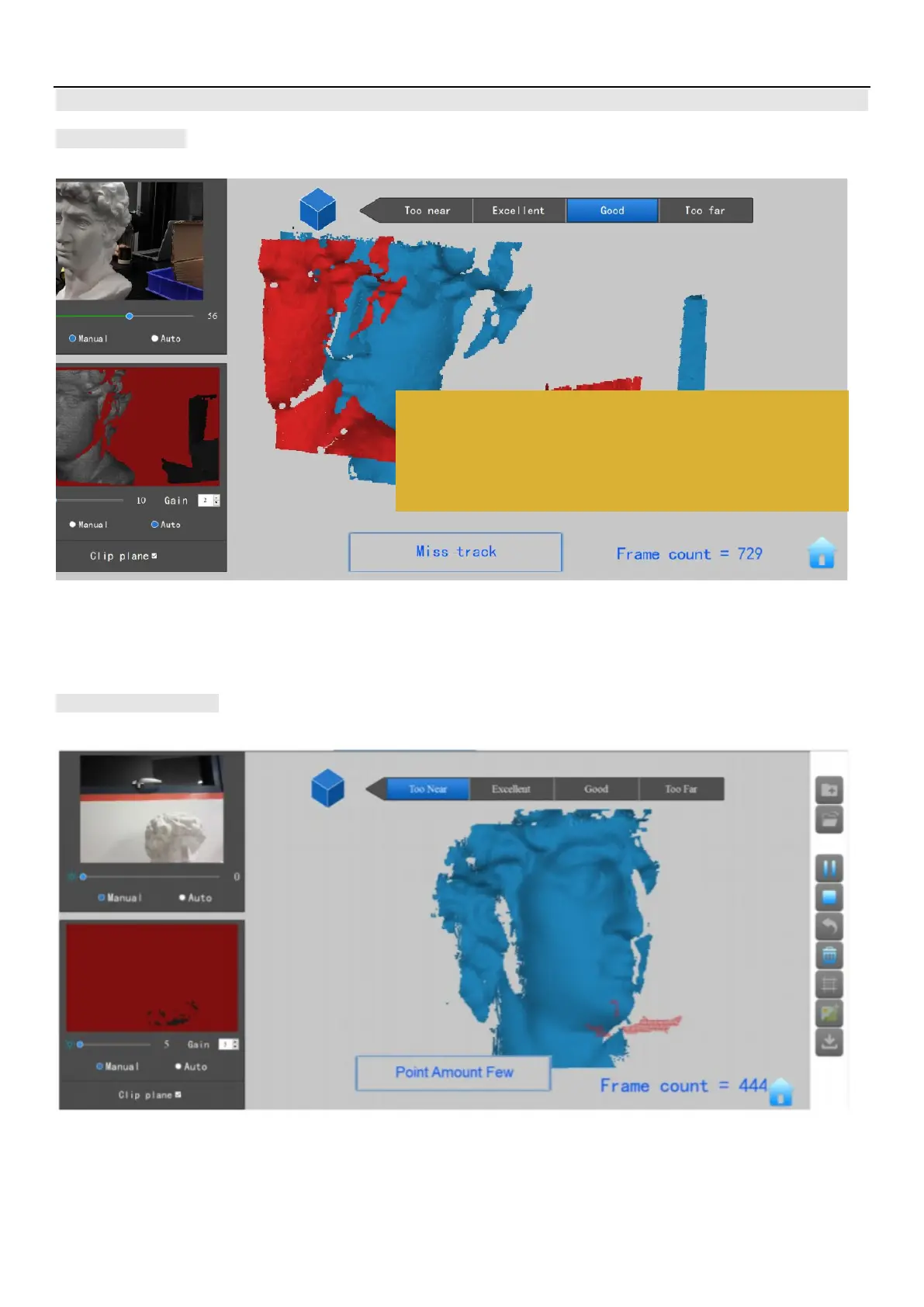
Miss Track
If the 3D Model Preview window displays a "Miss track" notice during scanning, please re-target the POP 3D scanner to a previously-scanned
area (blue) and keep still for several seconds so that the POP can re-acquire tracking. When the red portion of the display changes to green,
scanning can resume.
Too Few Points
If the "Point Amount Few" prompts appear, check whether the distance between POP and the object is too close or too far and adjust the distance
between the POP and the object so that the distance indicator highlights “Excellent” before scanning is continued.
When a "Miss Track" warning is displayed, please re-target the POP camera
back to a scanned area (blue) and keep still for several seconds to re-acquire
tracking. Resume scanning when red changes to green.



 To Next Page