23
COPYRIGHT ©2021 REVOPOINT 3D ALL RIGHTS RESERVED
Handy Studio (Windows only)
Handy Studio includes the ability to modify individual 3D models created by Handy Scan and to align two different 3D
models so that they can be merged into a new 3D model.
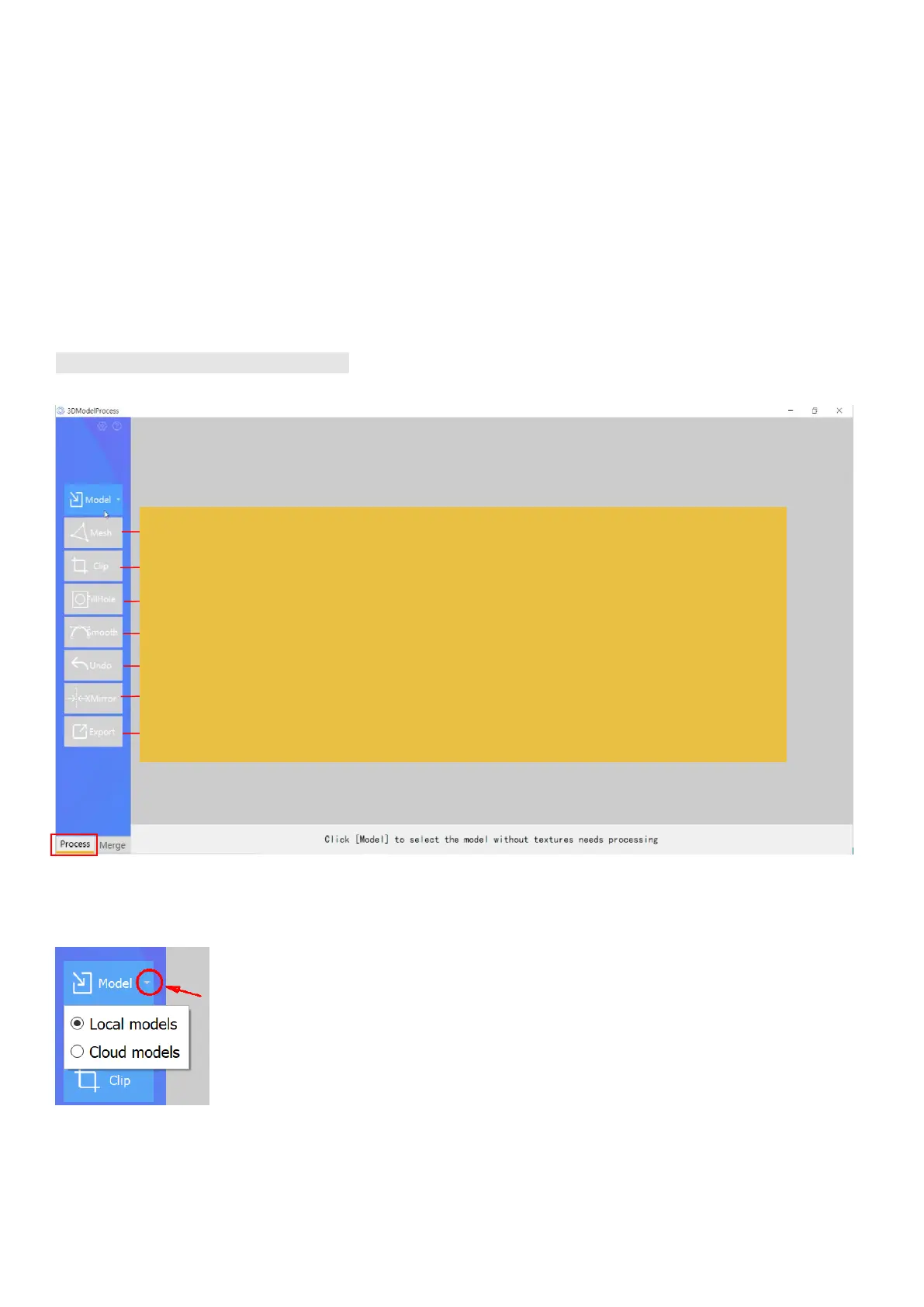
Double click to open the post-processing software: Handy Studio.
Both single model and multi-model processing are supported in the Handy Studio;
The "Process" button at the bottom left of the menu bar is for single-model processing, and "Merge" is for multi-model processing.
Process (Single Model processing)
Files may be accessed from local drives or from a cloud server. To select, click on the drop-down menu arrow on the right side of the Model
button.
Convert the point cloud into a meshed object
Clip the model plane
Fill holes on the model’s surface
Smooth the flat/curved surface
Undo the most recent operation and revert to the previous state
Generate a mirror image of the scanned model
Export the model (PLY / STL / OBJ)



 To Next Page