POP 3D Scanner User Manual
COPYRIGHT ©2021 REVOPOINT 3D ALL RIGHTS RESERVED 8
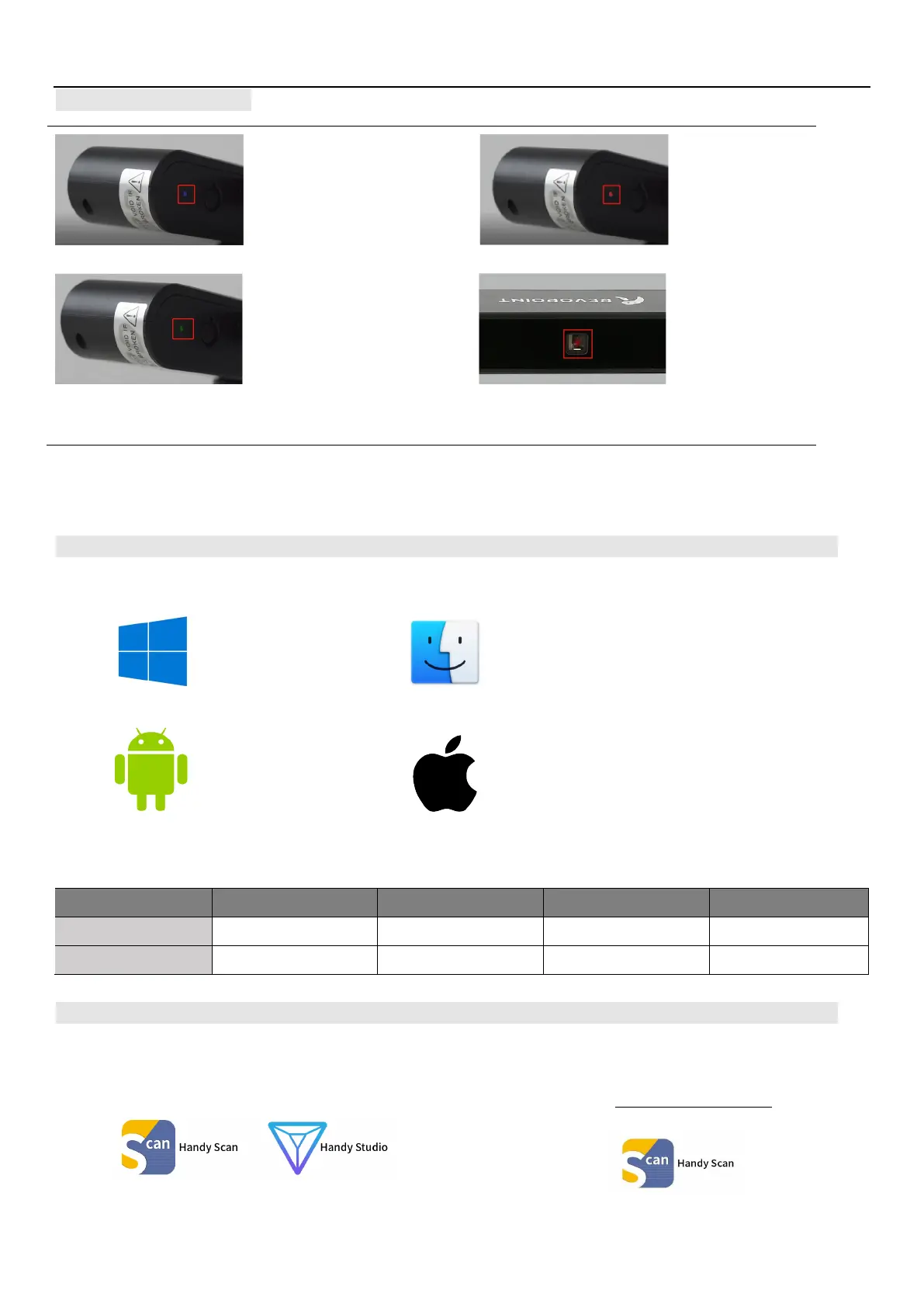
Indicator Legend
Do not look at the front light of the projector closely for a long time! Refer to Standards for Class 1 Lasers for details.
Software Installation
System Requirements
USB mode or Wi-Fi Mode Support
Windows Android iOS/iPad Mac
USB Mode YES YES TBD Coming Soon…
Wi-Fi Mode YES YES YES YES
Install Software
Windows: Win 8/Win 10
Android: ≥Android 6.0
Mac: Mac OS 10.15 and above
(Only Wi-Fi mode support currently)
iPhone: iPhone 6s and all models after;
iPad Pro, iPad & iPad Air: 3rd generation and above
System Version: ≥ iOS 11
Blue:
Starting
Red
flashing:
Green:
Working Normally
Projector in red:
Normal
Windows 8/10: The Handy Scan installation package also
Android, iOS, Mac: The Handy Scan installation package
only installs Handy Scan.



 To Next Page