POP 3D Scanner User Manual
COPYRIGHT ©2021 REVOPOINT 3D ALL RIGHTS RESERVED 20
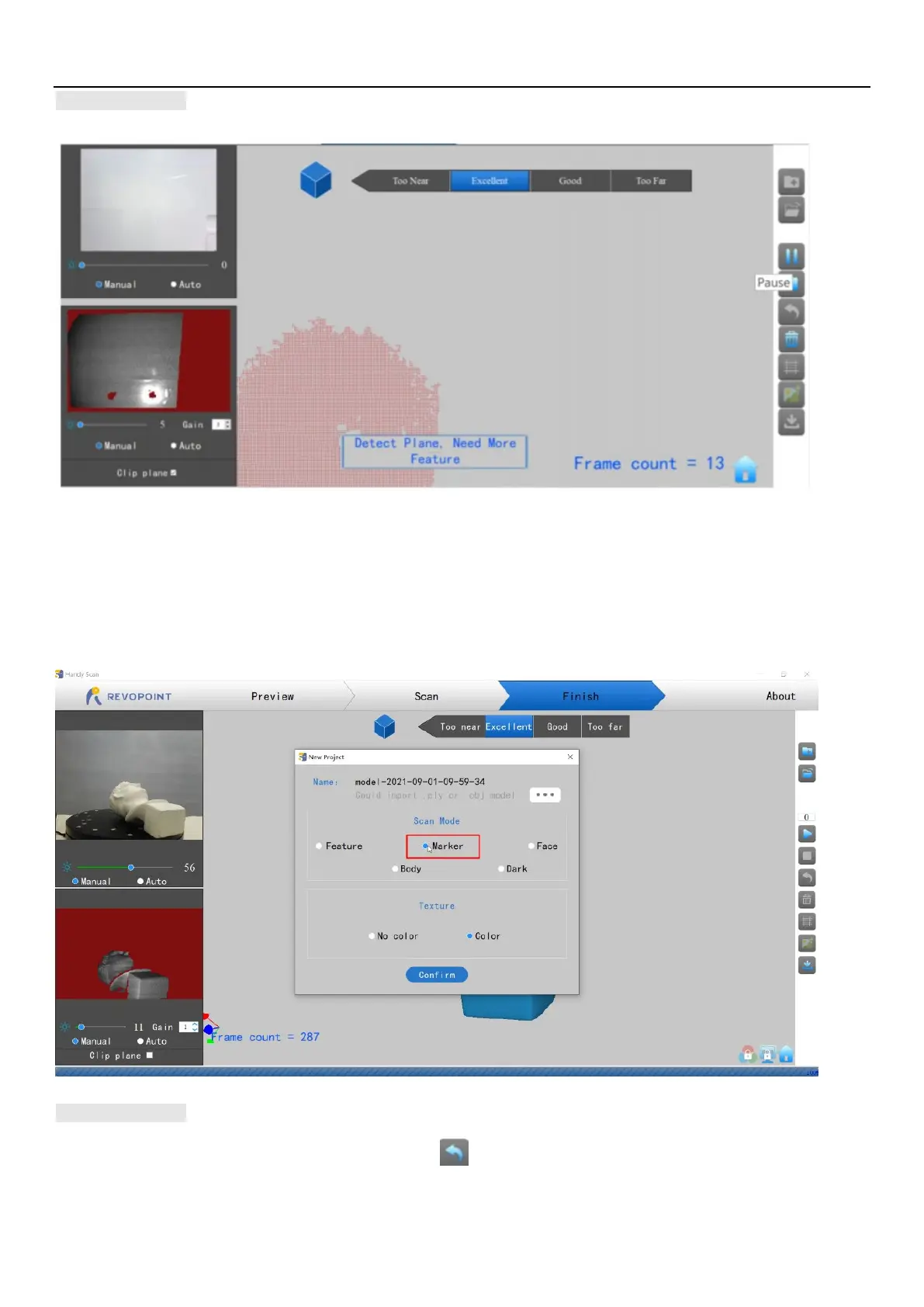
Detect Plane
This prompt appears when a plane or object with too few features is scanned and the POP cannot properly relate the frame’s point cloud to the
other frames. If no usable data has been scanned, the best course of action is to Stop scanning, select Restart to clear out the useless data, then
start a new project, this time selecting Marker mode after attaching markers to the scanning surface or the surrounding area to solve this problem.
If a significant amount of scan data has been acquired, then Pause the scan, use Undo as necessary to eliminate the chaff, then Stop, Complete
and Export the scan data before continuing in Marker mode.
Undo scan
If a point cloud alignment error appears in scanning, you can click repeatedly to the point that the 3D model is clean enough to continue



 To Next Page