36
5.5.2 IF 2-P Interferential Stimulation Set Up Procedure
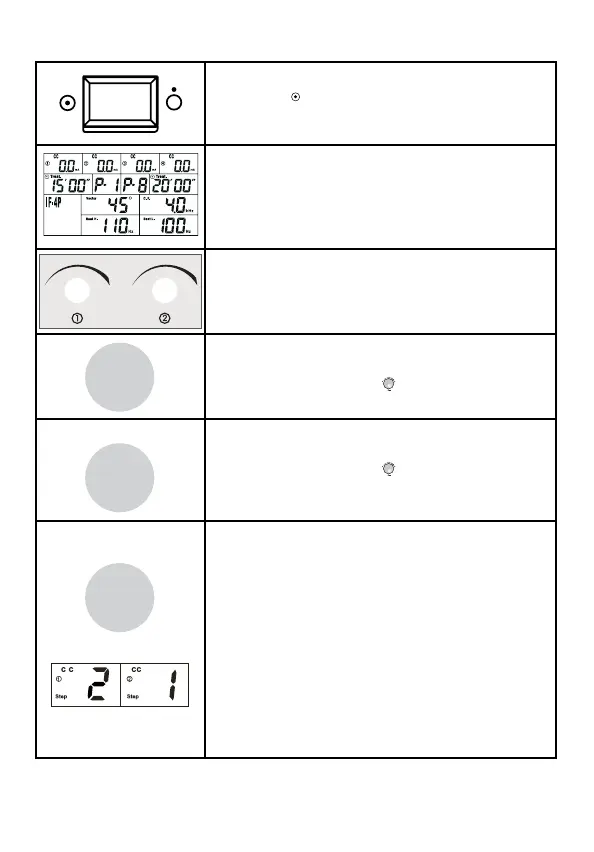
1. To turn on the device, press the ON/OFF
switch to [
] icon which is located on the
side of the device.
2. When you turn the ComboCare™ on,
the device will perform a self-check for
about 6~8 seconds, and then the default
parameters will display the last treatment
mode.
3. Press channel 1 or 2 knob to enter channel
1 and channel 2 parameter setting mode.
4. Press the [Waveform] button to choose
the therapeutic waveform. Then rotate the
central controller dial (
) to select “IF-2P”
waveform.
5. Press the [Program/Save] button to
choose between P1-P10. Then rotate the
central controller dial (
) until the desired
program number is displayed.
6. There are two modes in the device:
Normal/Default Mode
Professional Mode
To switch from Normal to Professional, press
and hold the [Step] button until you hear a
“Beep”. The program will change from P1 to
S1 for professional mode.
In Professional Mode, each program has 2
treatment steps. Press the [Step] button
again and the display will show like the figure
to the left. The parameters of each step can
be set according to the following methods.
Program
Save
Step
Waveform
CC/CV



 To Next Page