40
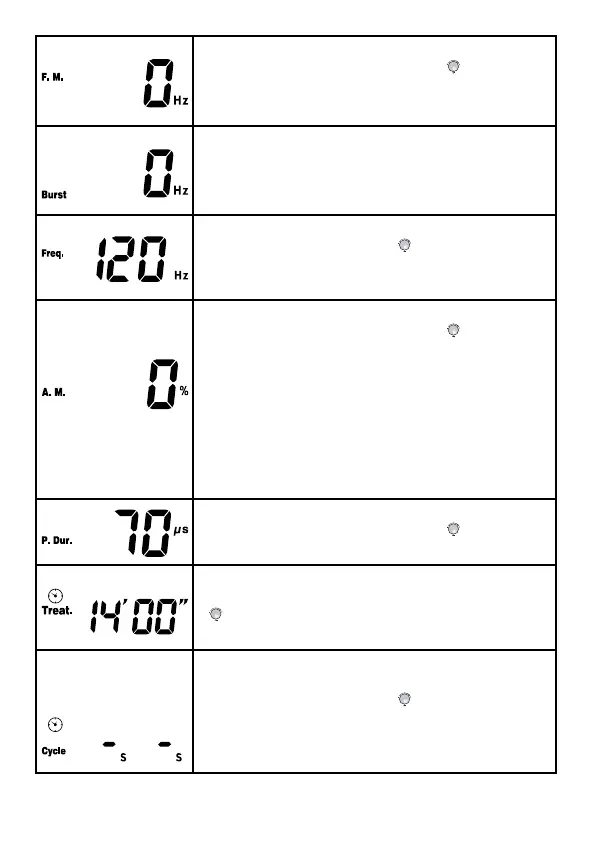
7. Press [F.M./Vector/Burst] button and then
rotate the central controller dial (
) Note: to
set the F.M. PLUS Freq. (next setting) must be
≤ 250Hz.
8. Press [F.M./Vector/Burst] button and then
rotate the Central controller dial to set the
Burst rate from 0Hz to 10Hz, 1Hz/step. But
Burst x 8 <Freq.
9. Press [Freq./C.F.] button and then rotate
the central controller dial (
) Note: to set
Freq. correctly, note that Freq. (next setting)
must be .≤ 250 MINUS F.M. Setting.
10. Press [Duty/Beat H./A.M.] button then
rotate the central controller dial (
) to set the
parameter from 0% to 100%
“A.M.” means amplitude modulation, the
setting value indicates percentage of
modulation, e.g.: “0%” means no modulation,
the intensity is outputting at the setting value
continuously.
“100%” means the output intensity is
modulated between 0 and the setting value.
11. Press [Beat L./P.Dur.] button and then
rotate the central controller dial (
) to set the
pulse duration from 30μs to 400μs,5μs/step.
12. Press [Time Treat./Cycle/Ramp] button to
and then rotate the central controller dial
(
) to set the treatment time from 1min to
60min, 1min/step.
13. Press [Time Treat./Cycle/Ramp] button
again to choose Cycle time, and then rotate
the central controller dial (
) to select the
cycle time from “-/-(continuous)”, “4/4”, “4/8”,
“7/7”, “5/5”, “4/12”, “10/10”, “10/20”, “10/30” and
“10/50”.



 To Next Page