44
5.6 Ultrasound Therapeutic Set-up Procedure
For ultrasound, plug the ultrasound applicator into
the ultrasound connect.
CAUTION: Don’t plug or pull out the ultrasound
applicator when the device turned on.
2. In order to turn on the device, please press ON/
OFF switch to [
] icon which is located on the side
of the device.
3. When you turn the ComboCare™ on, the device will
self-check for about 10 seconds, and then the default
parameters will display the last treatment mode.
4. Press [Waveform/Mode] button until “
“
indicator displays on LCD, means the device enters
into ultrasound therapeutic mode
5. Press [Freq./Duty] button to choose Ultrasound
Frequency, then rotate the Central controller dial
to select the frequency 1MHz or 3MHz.
6. Press [Freq./Duty] button-again to choose
Ultrasound Duty Factor, then rotate the Central
controller dial to select the duty factor from 10% to
100%, 10%/step.
7. Press [Time Treat./Cycle/Ramp] button to
choose Treat. time parameter, then rotate the
Central controller dial to set the treatment time
from 1 min to 30 min, 1min/step.
8. Apply a layer of transmission gel to the
treatment area. Please note: Please purchase the
transmission gel that is cleared by the FDA.
9. Adjust the intensity and start ultrasound
treatment that you are using by rotating the
output intensity adjustable knob on the control
panel. Press the knob to change the ultrasound
unit “W” or “W/cm”
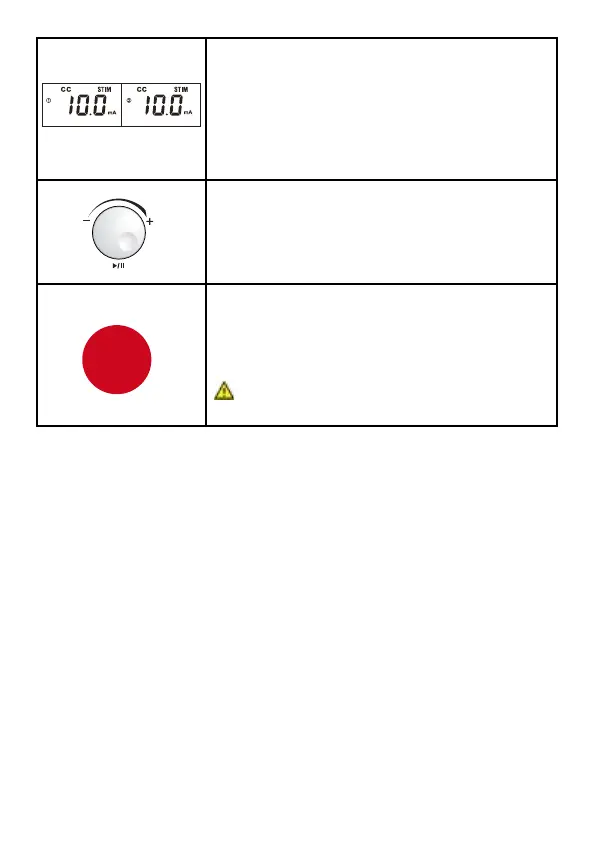
16. For safety purposes, the load detection
function was designed so when the output
intensity surpasses10.0mA/10.0V, and there
are no electrodes placed on the patient’s
skin or the device has not been connected to
electrodes, an alarm buzzer will sound and
the intensity value will flash and reset to zero.
17. To pause a channel, press the
corresponding channel knob on the top
of the device and then press the central
controller dial to pause that channel. Each
channel must be paused individually.
18. Press the [STOP] button to stop treatment
of the current channel(s). If you want to
stop the other channel(s) treatment, press
corresponding channel button first, and then
press the [STOP] button.
CAUTION: This will only stop the selected
flashing channels, not both channels.
Remark:
1. There is a “beeping” sound which will appear for approximately 20
seconds to alert the user after the treatment has finished. Press
any button to cancel the “beeping” sound.
2. If you want to restore factory parameter settings, turn the device
o then press and hold knobs (1) and (2) at the same time, and
then turn on the device by pressing the ON/OFF switch, keep
pressing the (1) and (2) knobs and the device will continuously
beep until all parameters are restored to the factory setting.
STOP



 To Next Page