2. Getting Started
This chapter describes how to start using this machine.
Guide to Components
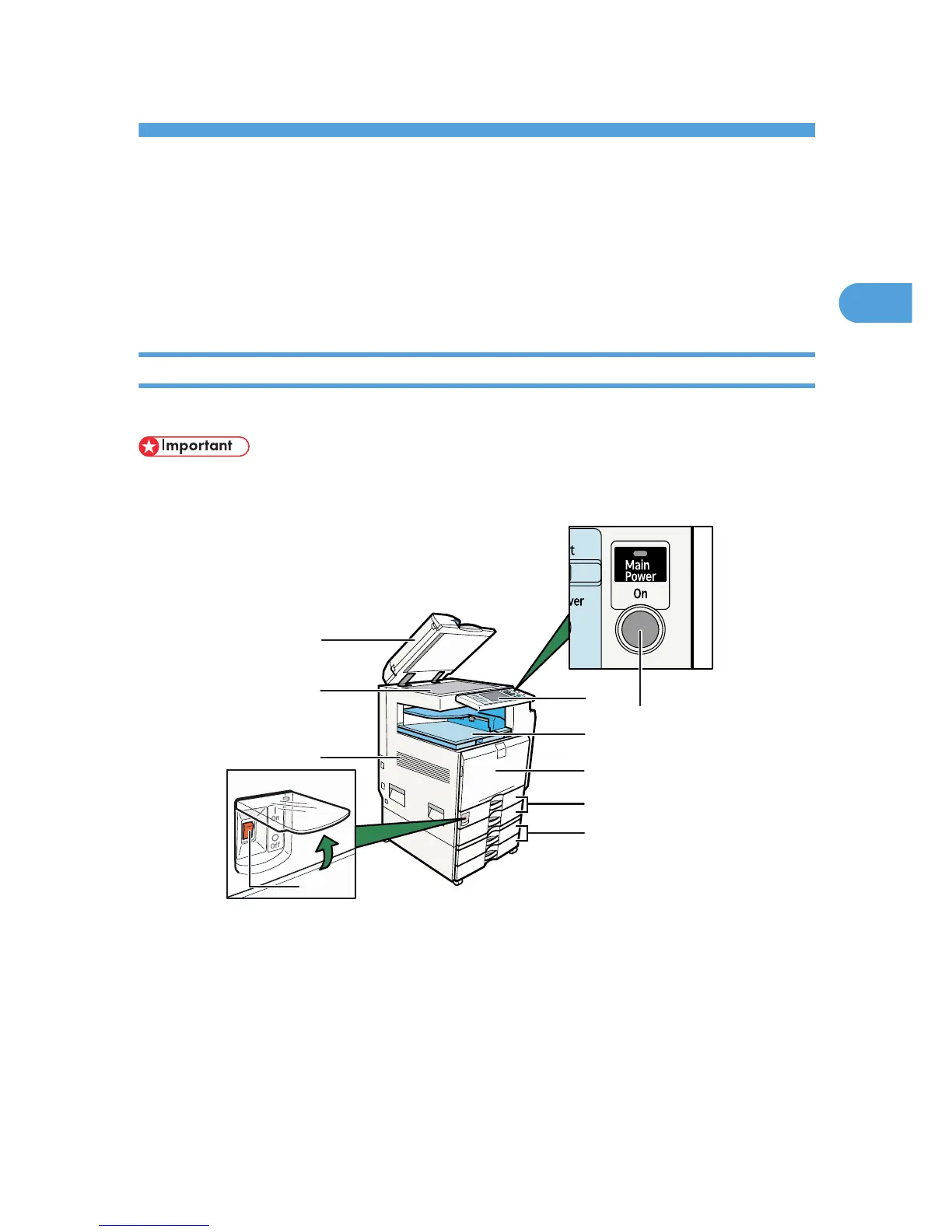
This section introduces the names and functions of the components.
Guide to components of type 1 and 2
This section introduces the names and functions of the components of type 1 and 2.
• Do not obstruct the ventilation holes by placing objects near them or leaning things against them. If
the machine overheats, a fault might occur.
1. Auto Document Feeder (ADF)
If you load a stack of originals in the ADF, the ADF will automatically feed the originals one by one.
This document feeder can be used for two-sided originals.
2. Exposure glass
Place originals here face down.
3. Ventilation holes
Prevent overheating.
51



 To Next Page