EasyManua.ls Logo

Ricoh C2828 - Turning On;Off the Power; Power Supply Description; Power On Procedures

Ricoh C2828
102 pages
Print Icon
To Next Page IconTo Next Page
To Previous Page IconTo Previous Page
Loading...
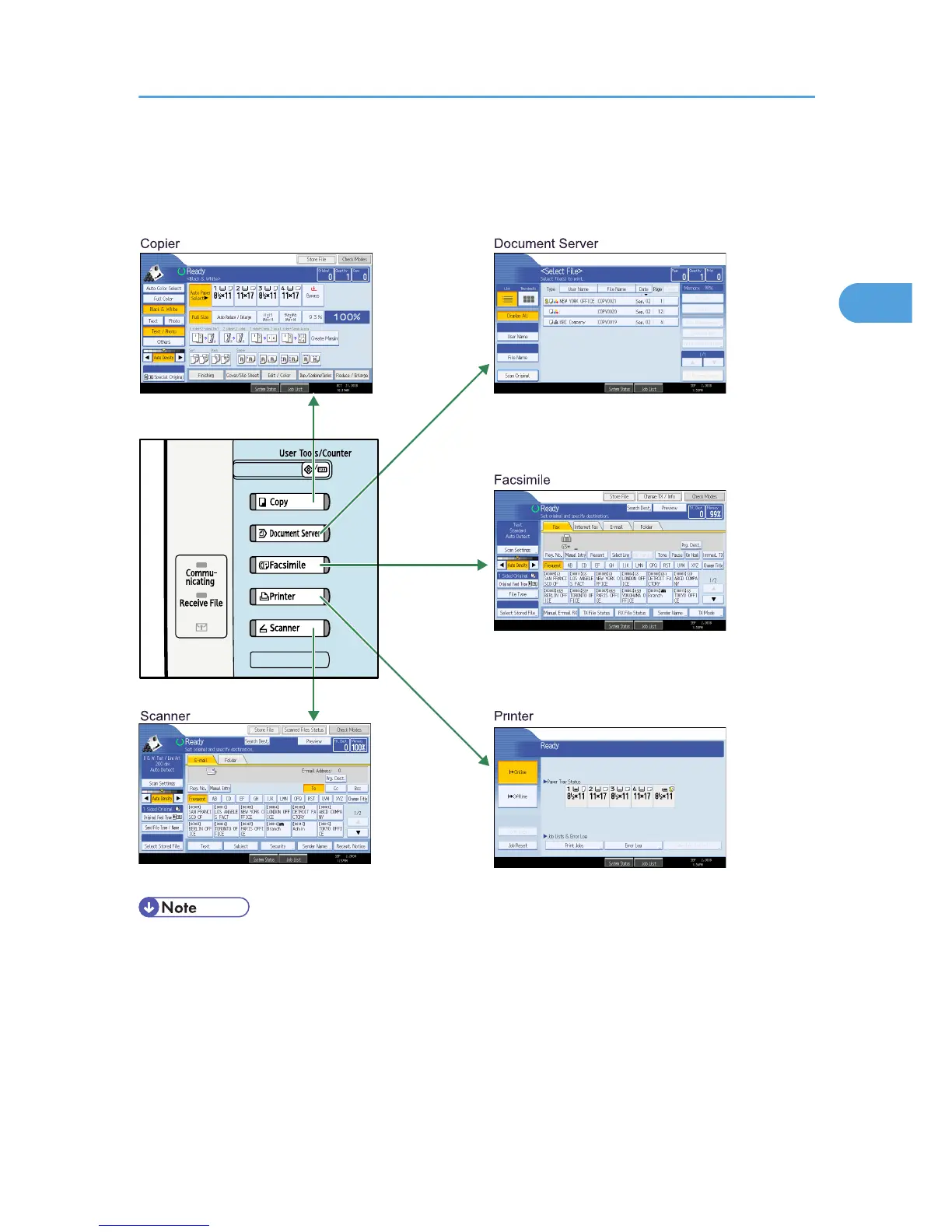
Changing Modes
This section explains how to change modes.
BJB027S
You cannot switch modes in any of the following situations:
When scanning a fax message for transmission
During immediate transmission
When accessing User Tools / Counter / Inquiry
During interrupt copying
During On-hook dialling for fax transmission
While scanning an original
Changing Modes
71

2

Table of Contents

Other manuals for Ricoh C2828

Related product manuals