Printing Preparations
13
1
Printing Preparations
Loading Paper
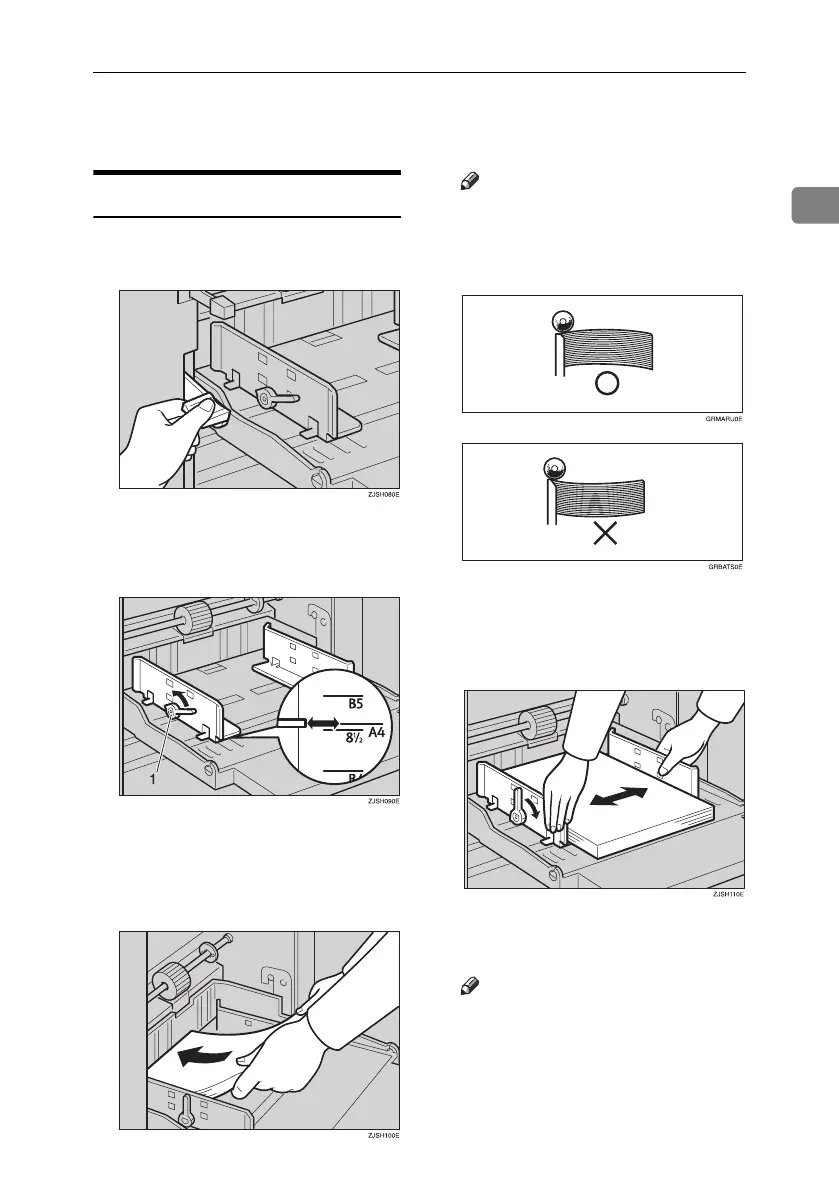
A Lower the paper feed tray adjust-
ment lever.
B Release the paper feed side plate
lock levers and adjust the side
plates to match the paper size.
1: Paper Feed Side Plate Lock Le-
vers
C Load paper into the paper feed
tray.
Note
❒ Correct the paper curl before
setting the paper. If you cannot
do so, stack the paper with the
curl face down as shown.
D Make sure that the paper feed
side plates touch the paper light-
ly. Shift the lock levers back to
their original positions.
E Shift the tray adjustment lever to
the paper feeding position.
Note
❒ Before you start printing, the
paper feed tray must be aligned
with the feeding position. If not,
a paper misfeed might occur.
Titanium2_EN-F2_FM_forPaper.book Page 13 Wednesday, January 25, 2006 6:30 PM


 To Next Page