Adjusting the Print Image Position
19
1
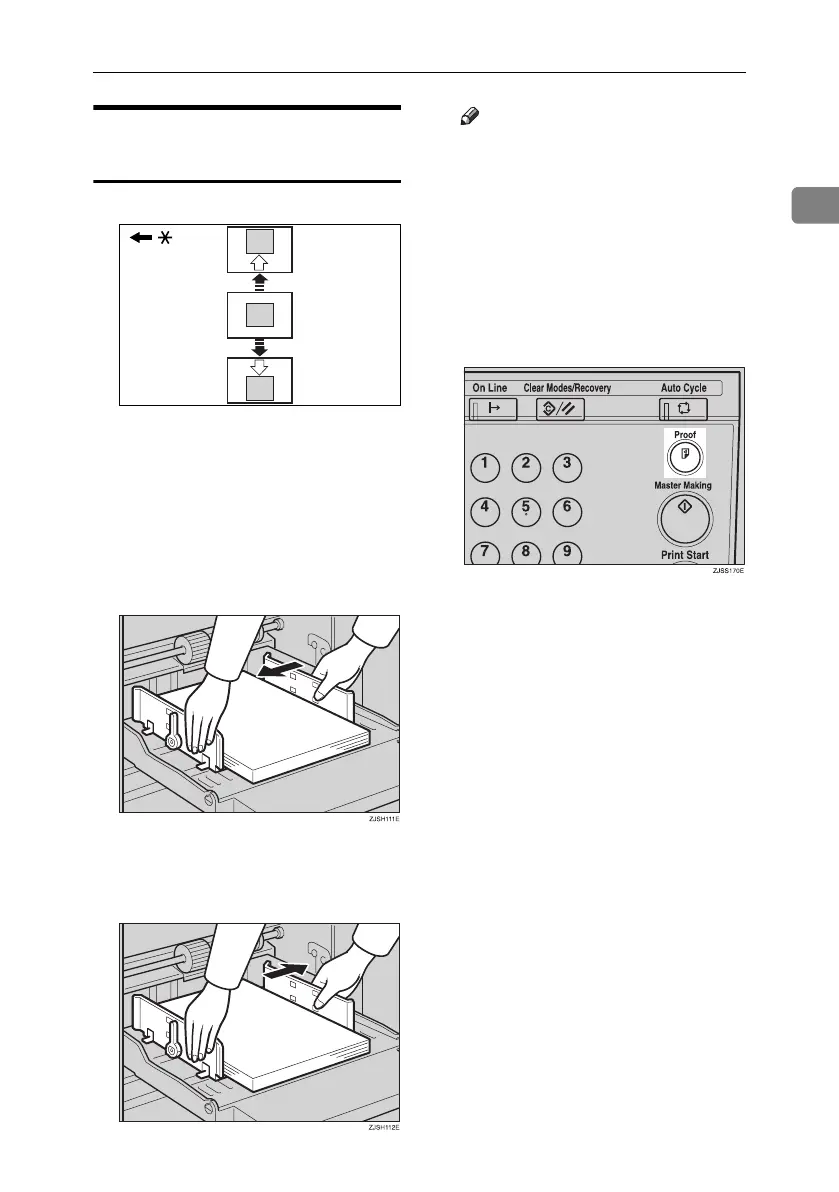
Shifting the Print Image
Position to the Right or Left
* Paper feed direction
A Lower the paper feed tray adjust-
ment lever and unlock the paper
feed side plates.
❖ Shifting the image to the right
Shift the paper towards the
front of the machine.
❖ Shifting the image to the left
Shift the paper towards the back
of the machine.
Note
❒ The image position can be shift-
ed up to about 10 mm, 0.4" each
way.
B
Lock the paper delivery side plates
and shift the tray adjustment le-
ver back to the paper feeding po-
sition.
C Press the {Proof} key to check the
image position.
GRLEFT0E
Titanium2_EN-F2_FM_forPaper.book Page 19 Wednesday, January 25, 2006 6:30 PM


 To Next Page