Troubleshooting
60
4
When the Master Eject Indicator (k) Lights
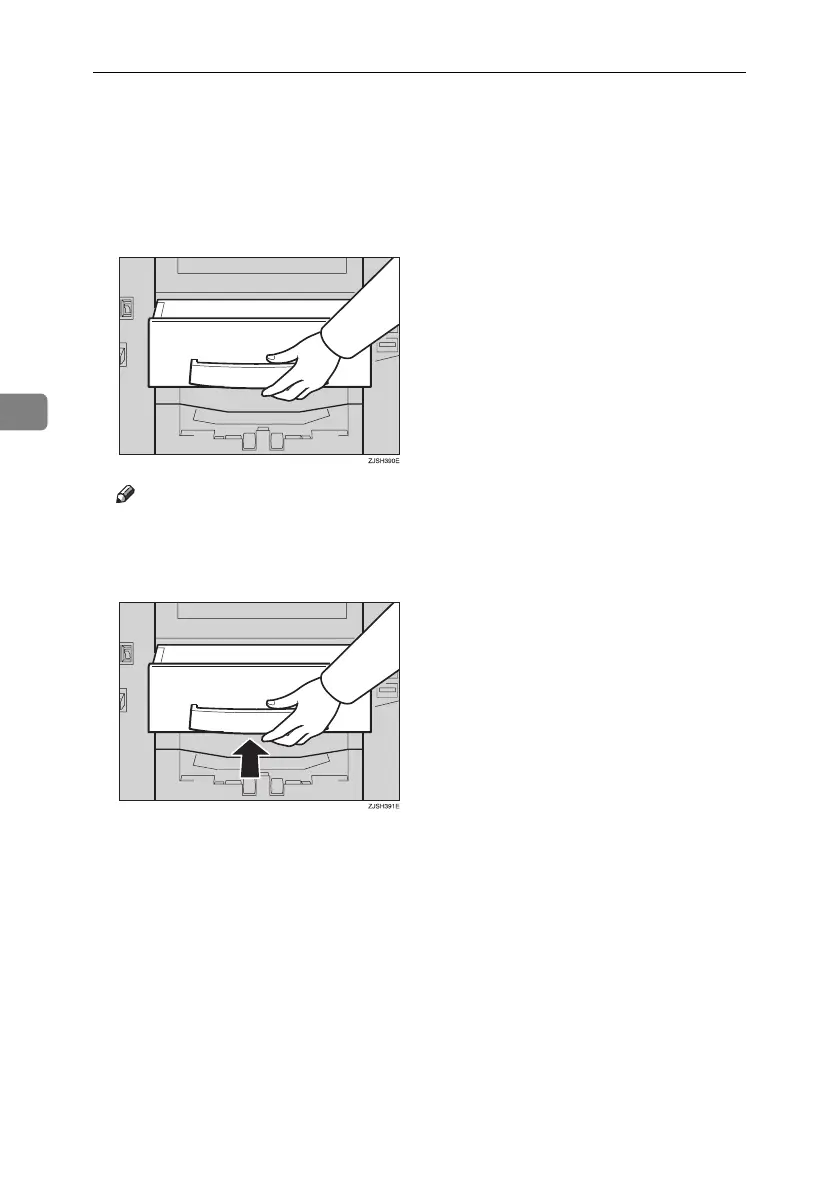
The Master Eject indicator (k) lights when it is time to empty master eject box
or when you need to set the master eject box.
A Take out the master eject box and remove the used masters.
Note
❒ Spread an old newspaper, then turn the master eject box upside down on
it to remove the used masters. Then, throw away the masters.
B Push the master eject box back in until it clicks into position.
Titanium2_EN-F2_FM_forPaper.book Page 60 Wednesday, January 25, 2006 6:30 PM


 To Next Page