Changing the Printing Speed
21
1
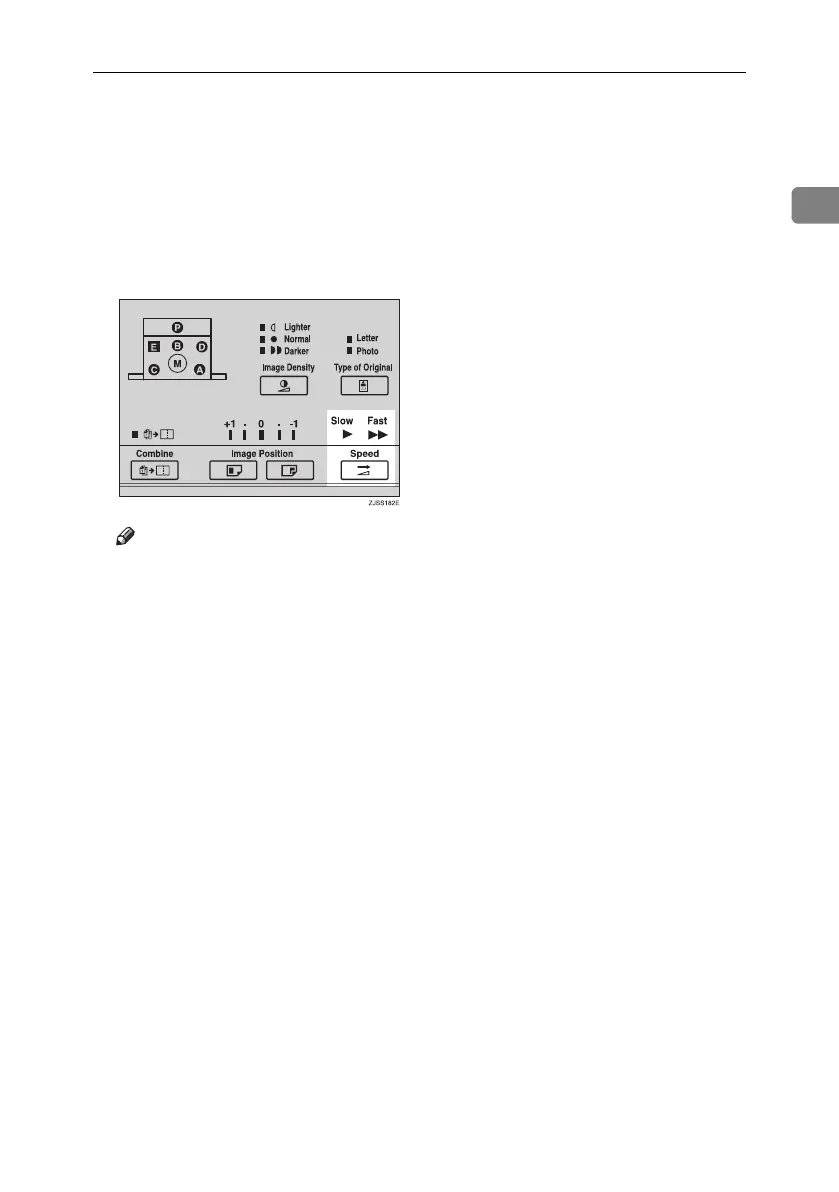
Changing the Printing Speed
Use the {Speed} key to adjust the
speed of the machine to suit the im-
age density and paper type.
A Press the {Speed} key to select the
printing speed.
Note
❒ The following speeds are avail-
able:
•Fast:
90 sheets/minute
•Slow:
60 sheets/minute
❒ The default is 90 sheets/minute.
❒ The faster the printing speed be-
comes, the lighter the printing
density is, and vice versa.
❒ Select the slower speed when
you are printing on very thick
or very thin paper.
Titanium2_EN-F2_FM_forPaper.book Page 21 Wednesday, January 25, 2006 6:30 PM


 To Next Page