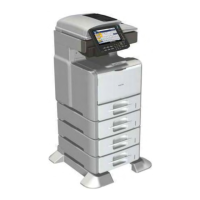
EasyManua.ls Logo

Ricoh MET-C1 - User Manual

Ricoh MET-C1
688 pages
Print Icon
To Next Page IconTo Next Page
Loading...
Model MET-C1
Machine Code: D176/D177
Field Service Manual
September, 2013
Subject to change

Table of Contents

Questions and Answers

  • H
    heatherrichardsonJul 30, 2025
    What to do if an SC error appears when selecting a function on a Ricoh MET-C1 All in One Printer?
    • D
      Daniel OconnorJul 30, 2025
      If a function is selected and an SC error code appears on the Ricoh All in One Printer's operation panel, preventing its use, try switching the user reset power key or the main power switch from OFF to ON. This may resolve the issue.

Summary

Important Safety Notices

1. Product Information

Product Overview

Provides a general introduction to the product and its components.

2. Installation

Installation Requirements

Specifies environmental, space, and power requirements for machine installation.

Main Machine Installation

Covers the primary steps for installing the main machine unit.

Security Function Installation

Guide to installing security functions like Data Overwrite and HDD Encryption.

3. Preventive Maintenance

4. Replacement and Adjustment

Scanner Unit

Details on the scanner unit and its components.

Laser Unit

Information on the laser unit, including warnings and replacement procedures.

PCDU

Details on the PCDU, including replacement procedures.

Image Transfer Unit

Information on the image transfer unit.

Paper Exit

Information related to the paper exit mechanism.

Paper Feed

Information on the paper feeding system.

Duplex Unit

Details on the duplex unit and its components.

Electrical Components

Overview of the machine's electrical components and their locations.

5. Troubleshooting

Self-Diagnostic Mode

Information on the machine's self-diagnostic modes.

Service Call Codes

Lists service call codes, their levels, and error conditions.

Jam Detection

Information on detecting and identifying paper jams.

1. Appendices:Specifications

2. Appendices:Preventive Maintenance Tables

Ricoh MET-C1 Specifications

General IconGeneral
BrandRicoh
ModelMET-C1
CategoryAll in One Printer
LanguageEnglish

Related product manuals