Remarks
72
5
Maintaining Your Machine
To maintain high print quality, clean
the following parts and units regular-
ly.
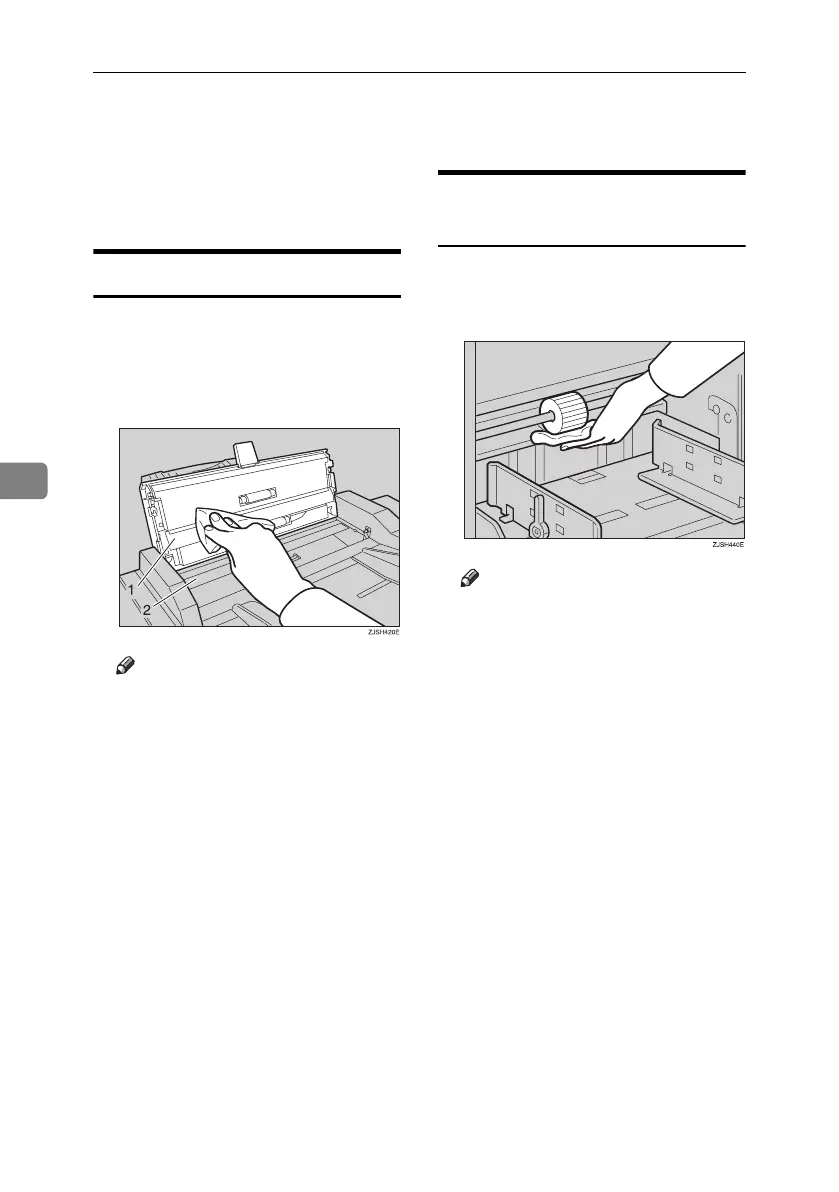
Document Feeder
A Lift the document feeder cover.
B Clean the two areas indicated be-
low using a damp cloth and then
wipe with a dry cloth.
Note
❒ If you do not clean the docu-
ment feeder, marks on the feed-
er will be printed.
Paper Feed Roller (paper feed
tray)
A Wipe off the paper dust on the pa-
per feed roller with a damp cloth,
then wipe it with a dry cloth.
Note
❒ If you do not clean the paper
feed roller, paper misfeeds tend
to occur.
Titanium2_EN-F2_FM_forPaper.book Page 72 Wednesday, January 25, 2006 6:30 PM


 To Next Page