Optional Functions
36
2
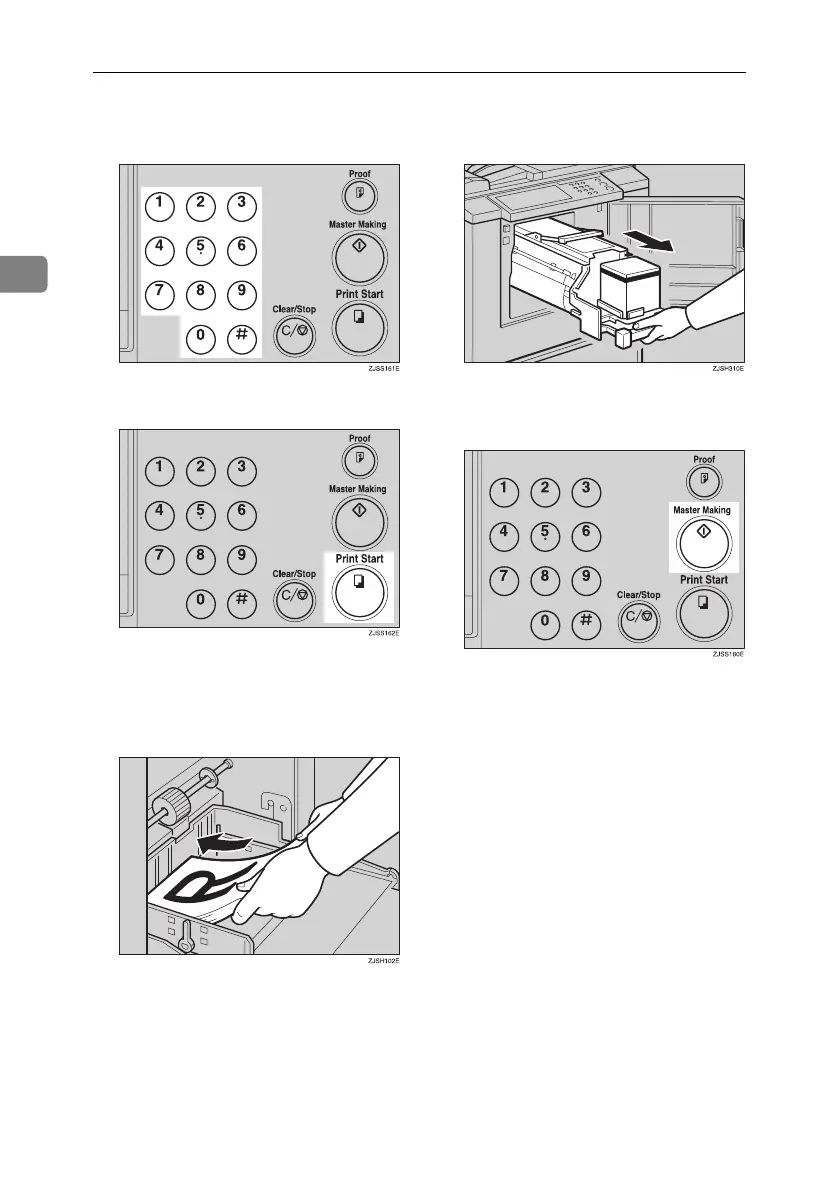
D Enter the number of prints with
the number keys.
E Press the {Print Start} key.
F Remove the prints from the paper
delivery tray and re-load them
into the paper feed tray, as shown
in the illustration.
G Change the drum unit. See p.33
“Changing the Color Drum Unit”.
H
Place the second original and press
the {Master Making} key.
I Check the image position.
J Press the {Print Start} key.
Titanium2_EN-F2_FM_forPaper.book Page 36 Wednesday, January 25, 2006 6:30 PM


 To Next Page