x Clearing Misfeeds
53
4
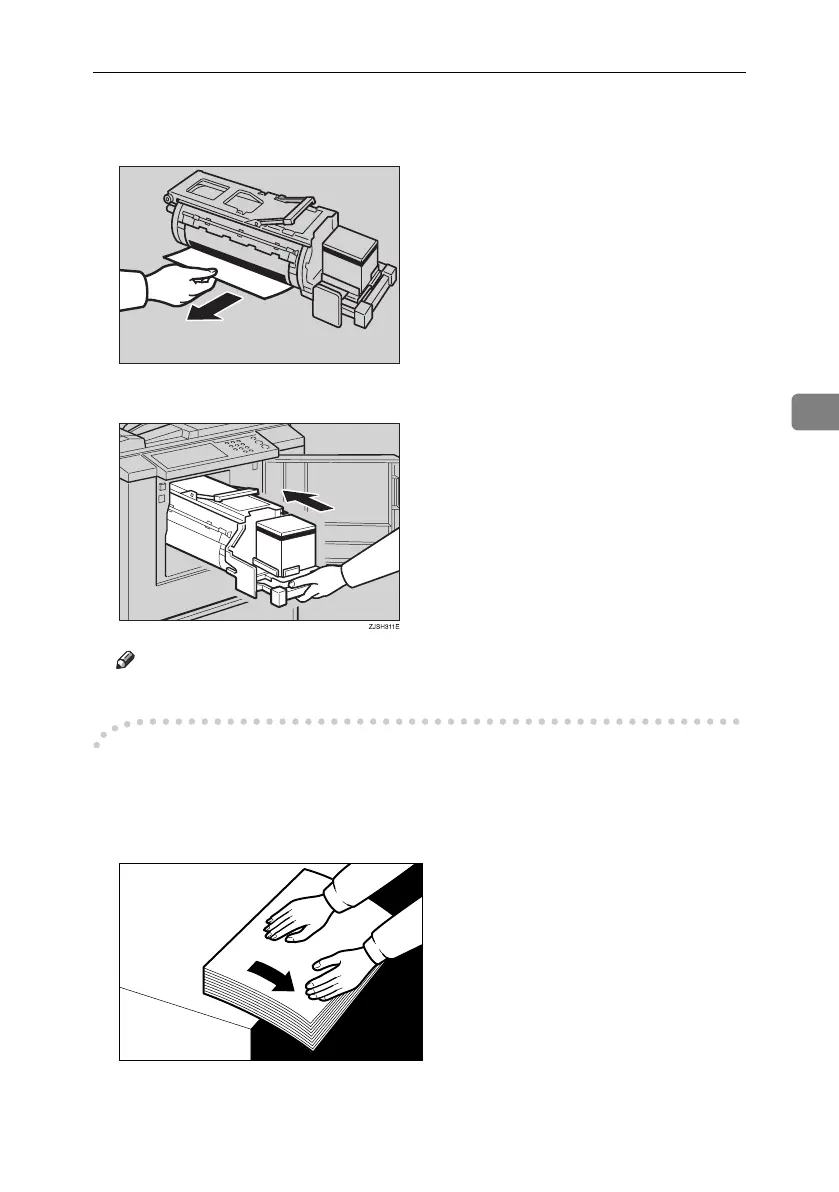
B If the paper is completely wrapped around the drum, pull out the drum
unit and remove the misfed paper from the drum.
C Re-install the drum unit locks in position and put the lever back in place.
Note
❒ If you followed step B or C, close the front door.
-To prevent paper misfeeds:
If the paper is curled or the original's leading edge margin is too narrow, the fol-
lowing action is necessary.
• When you use curled paper, correct the curl as shown.
TSLH02BE
GRCURL0E
Titanium2_EN-F2_FM_forPaper.book Page 53 Wednesday, January 25, 2006 6:30 PM


 To Next Page