Troubleshooting
62
4
Reference
See p.33 “Changing the Color Drum Unit”for the details.
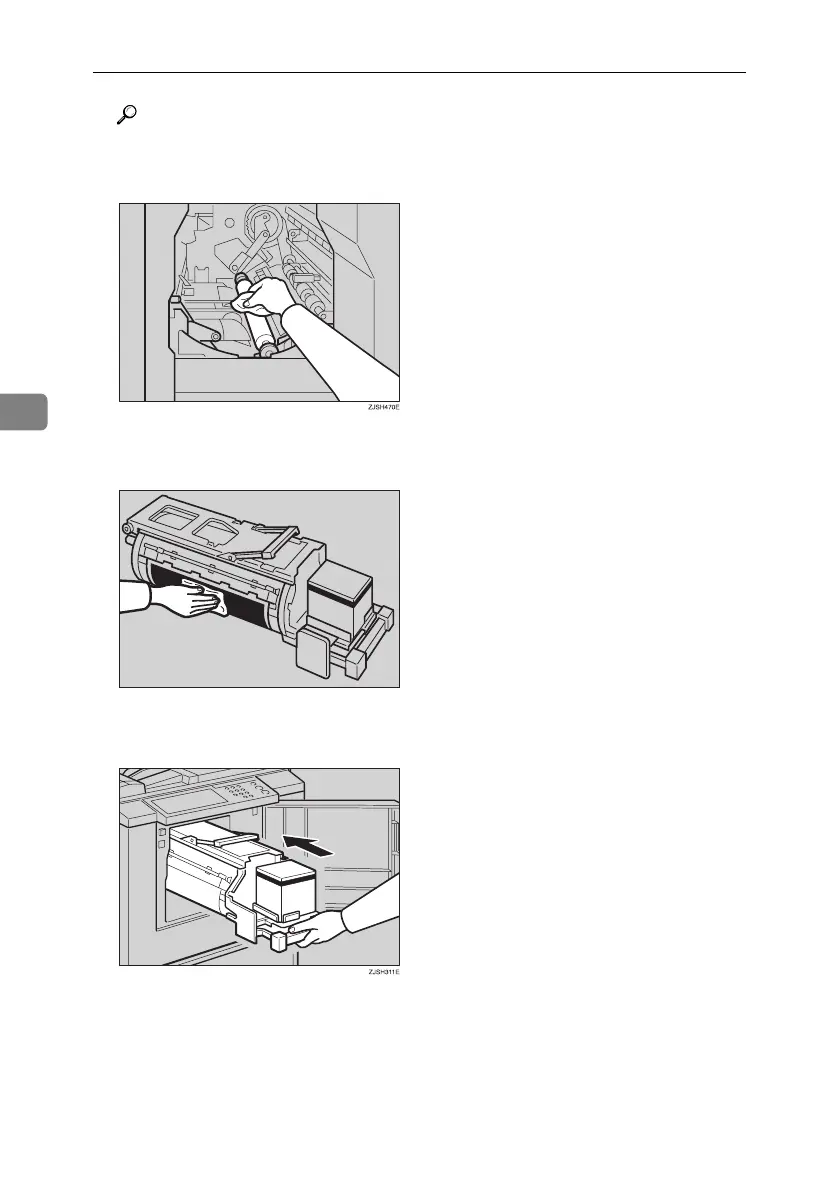
C Clean the pressure roller with a clean cloth.
D With a clean cloth, remove any ink that has accumulated on the trailing
edge of the drum unit.
E Insert the drum unit until it locks in position, then lower the drum unit
lock lever.
F Close the front door.
TSLH02CE
Titanium2_EN-F2_FM_forPaper.book Page 62 Wednesday, January 25, 2006 6:30 PM


 To Next Page