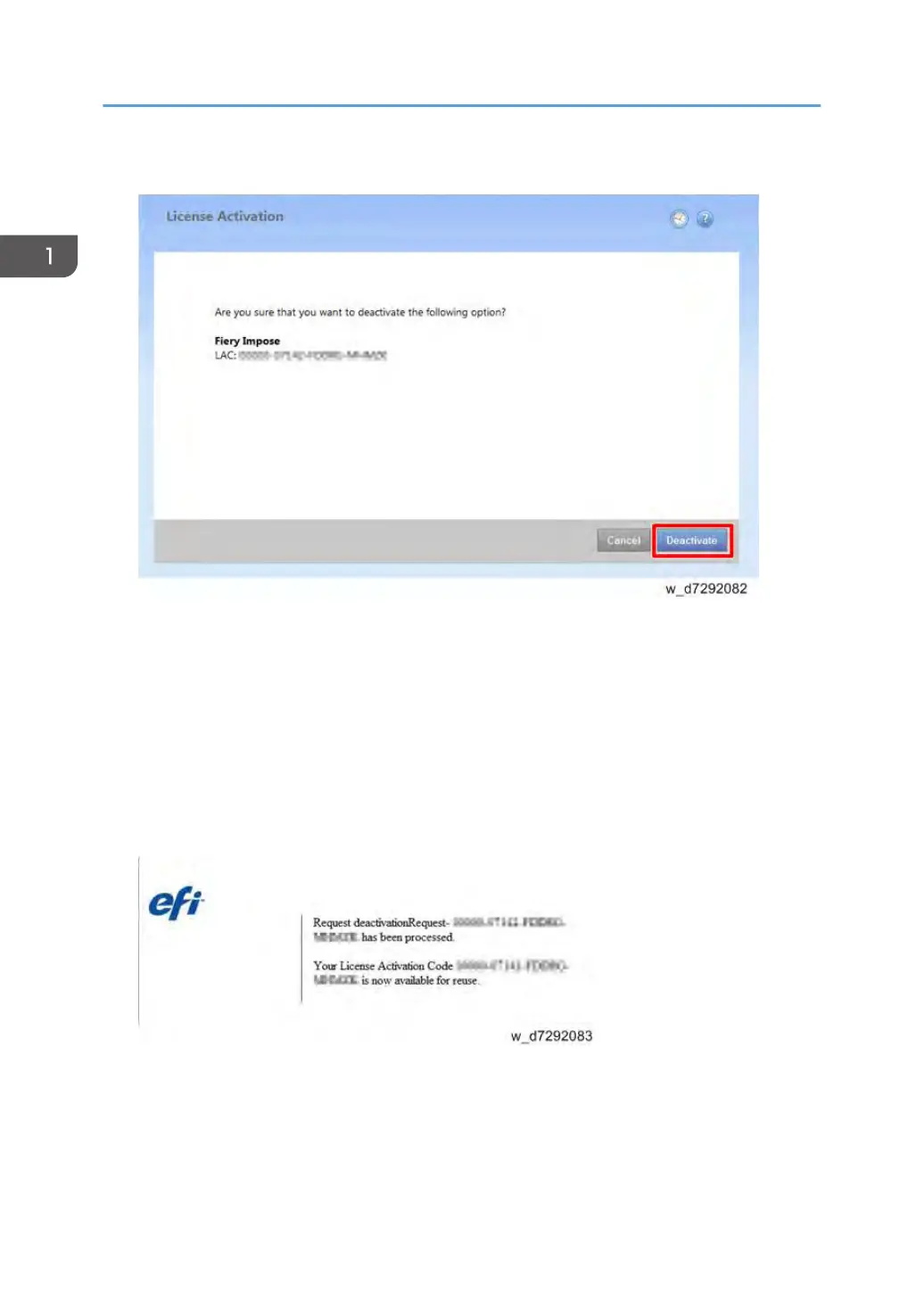
2. Click Deactivate to confirm the deactivation.
3. Click Continue to proceed with the manual process.
4. Click Create Request File and save the file. The Client Option is deactivated, and the LAC is
displayed.
5. Click Finish.
6. Copy the request file to a PC that is connected to the Internet.
7. On the PC that is connected to the Internet, open a browser and go to licensing.efi.com.
8. Click Browse, select the request file, and then click Upload.
The LAC is available for reuse.
1. Installation
50


 To Next Page