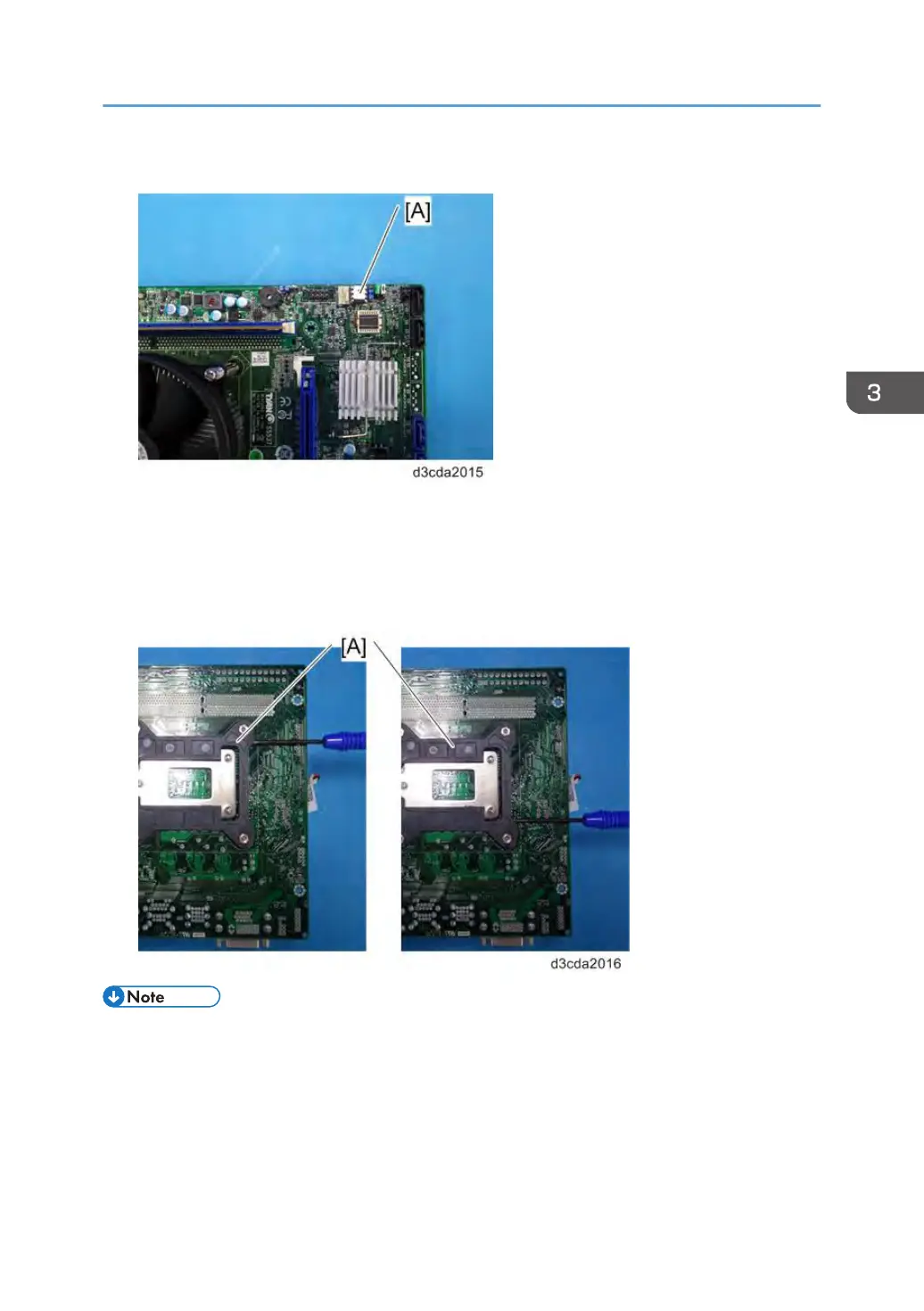
7. Remove the Keychip [A].
8. Remove the CPU holder bracket (on the back side of the motherboard) [A]
The CPU holder bracket is attached to the motherboard with two strips of double-sided tape. In
order to prevent the motherboard from being damaged, put a small screwdriver between the
bracket and the motherboard as shown below and twist the screwdriver to detach the CPU holder
bracket.
• When you replace the motherboard, move the CPU, CPU cooling assembly, video board,
Keychip, and the CPU holder bracket from the old board to the new board. The Keychip contains
option upgrade information and licensing information for the E-24B.
•
A new motherboard comes with a protective cover [A] on the CPU slot. Remove it before using the
motherboard.
Unit Removal
83



 To Next Page