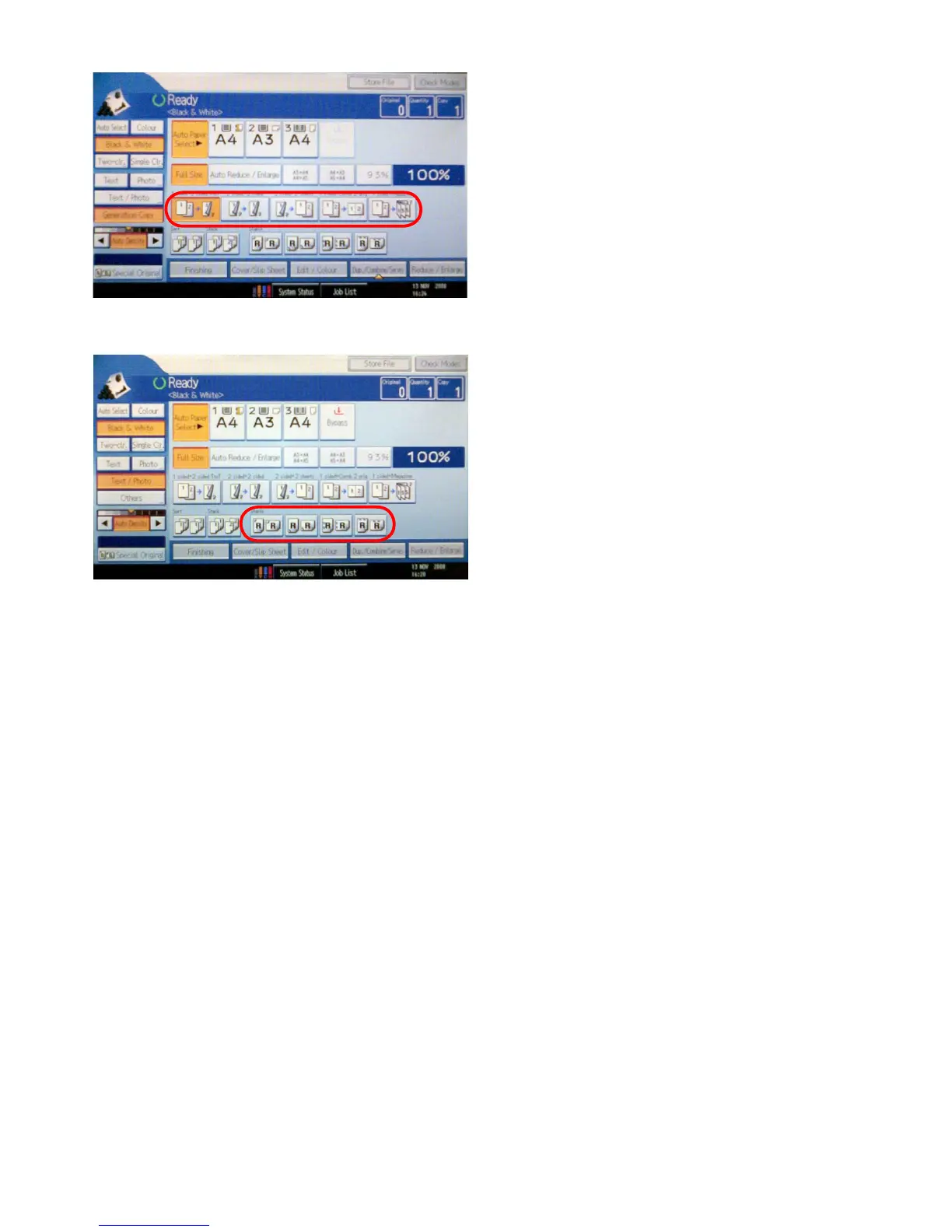
2.3.3 Printing single and double sided copies
With the encircled buttons shown at the left you can
choose from a number of ways to print your copies on
the chosen paper.
For instance (looking at the buttons from left to right
respectively) you can make double sided print from single
sided originals, you can make double sided prints from
double sided originals and you can also make single sided
prints from double sided originals. The last two buttons
give you the possibility to print two single sided originals
to one single piece of paper (for instance: 2 A4’s to one
side of an A3). You can also print single sided originals so
you can bind them into a booklet.
For more advanced options, choose ‘Dup./Combine/Se-
ries’.
2.3.4 Staples
Every set of copies can be stapled together. Select the
placement of the staples and enter the amount of sets to
copy with the numerical keypad. Place the originals and
press the green button to start copying.









 To Next Page