Important note
When you’re nished printing your locked print
jobs, adjust the settings for ‘Job Type’ back to ‘Nor-
mal Print’. If you don’t, every job that you sent to
the printer will keep on becoming a locked print job.
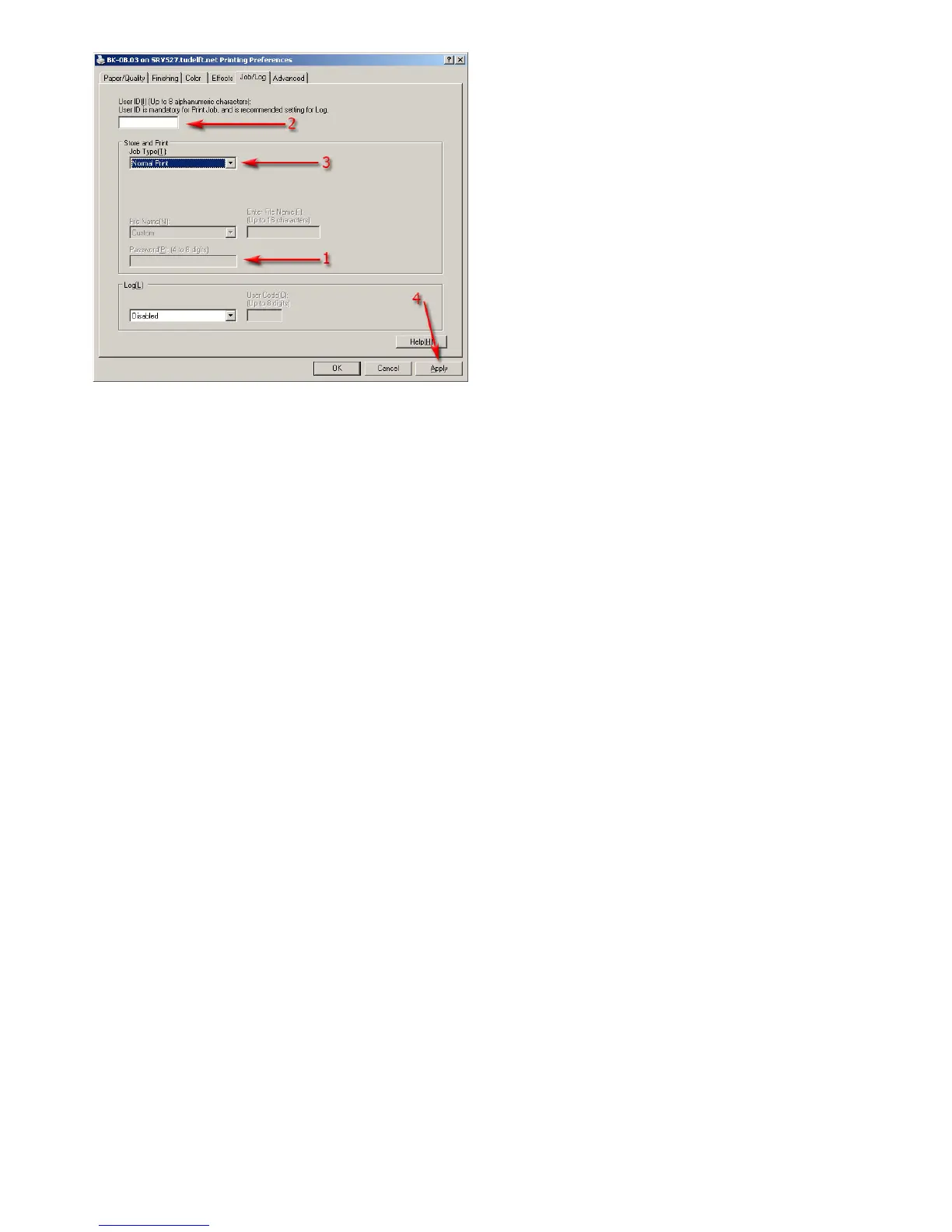
In the image on the left you can see how to switch back
to normal print jobs:
1. delete your password
2. delete your UserID
3. change the job type back to ‘Normal Print’
4.alwaysclickon‘Apply’toconrmallsettings









 To Next Page