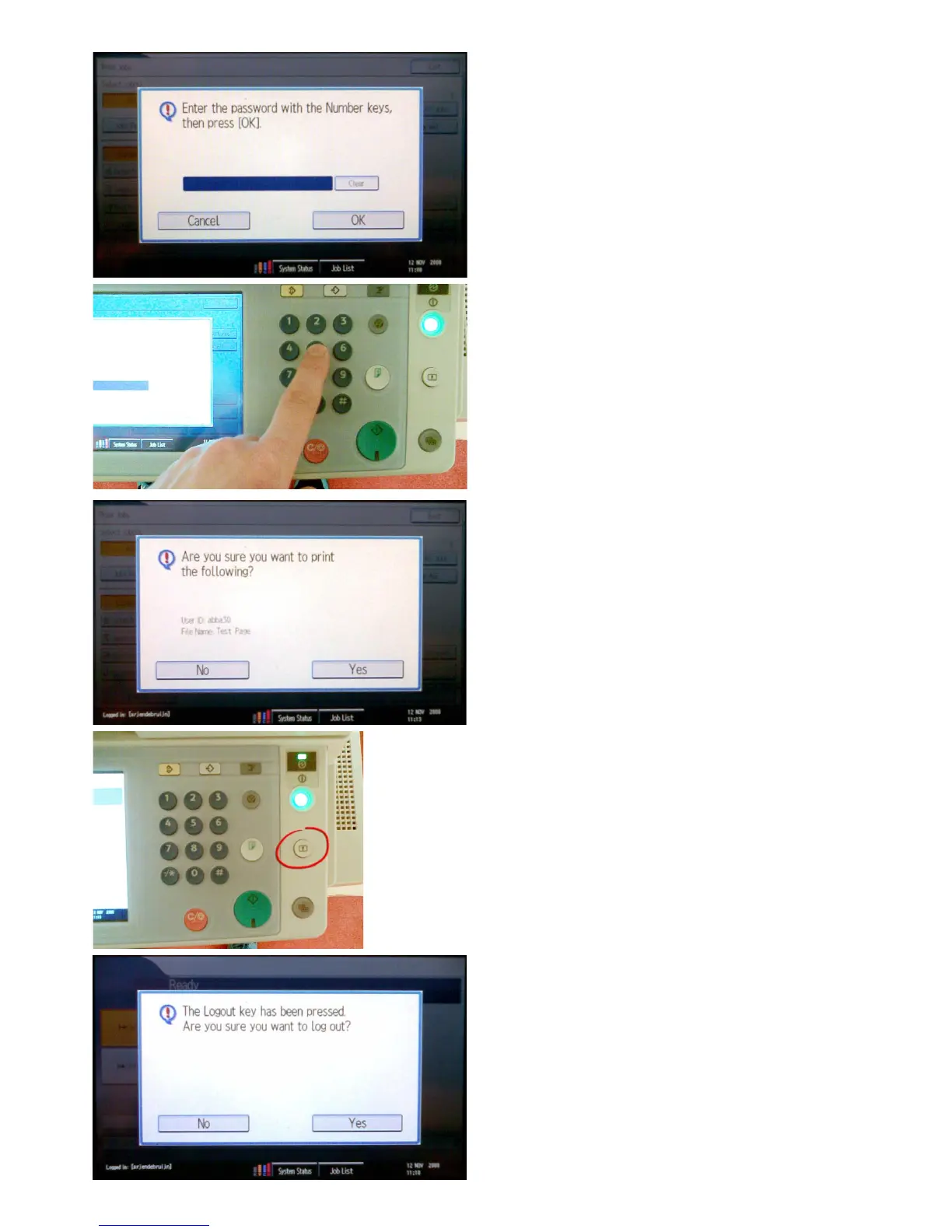
The screen shown at the left will appear.
Click on ‘Yes’ when you’re sure that you want to print this
job.
Afterthejobisnished,itwillberemovedfromthe
printer and cannot be printed another time.
Whenyou’renishedprinting,pushonthe‘logout-key’to
log off your NetID.
Choose ‘Yes’ to log off completely.
Enter the password that you made up earlier with the
numericalkeypadnexttothetouchscreenandpressOK.









 To Next Page