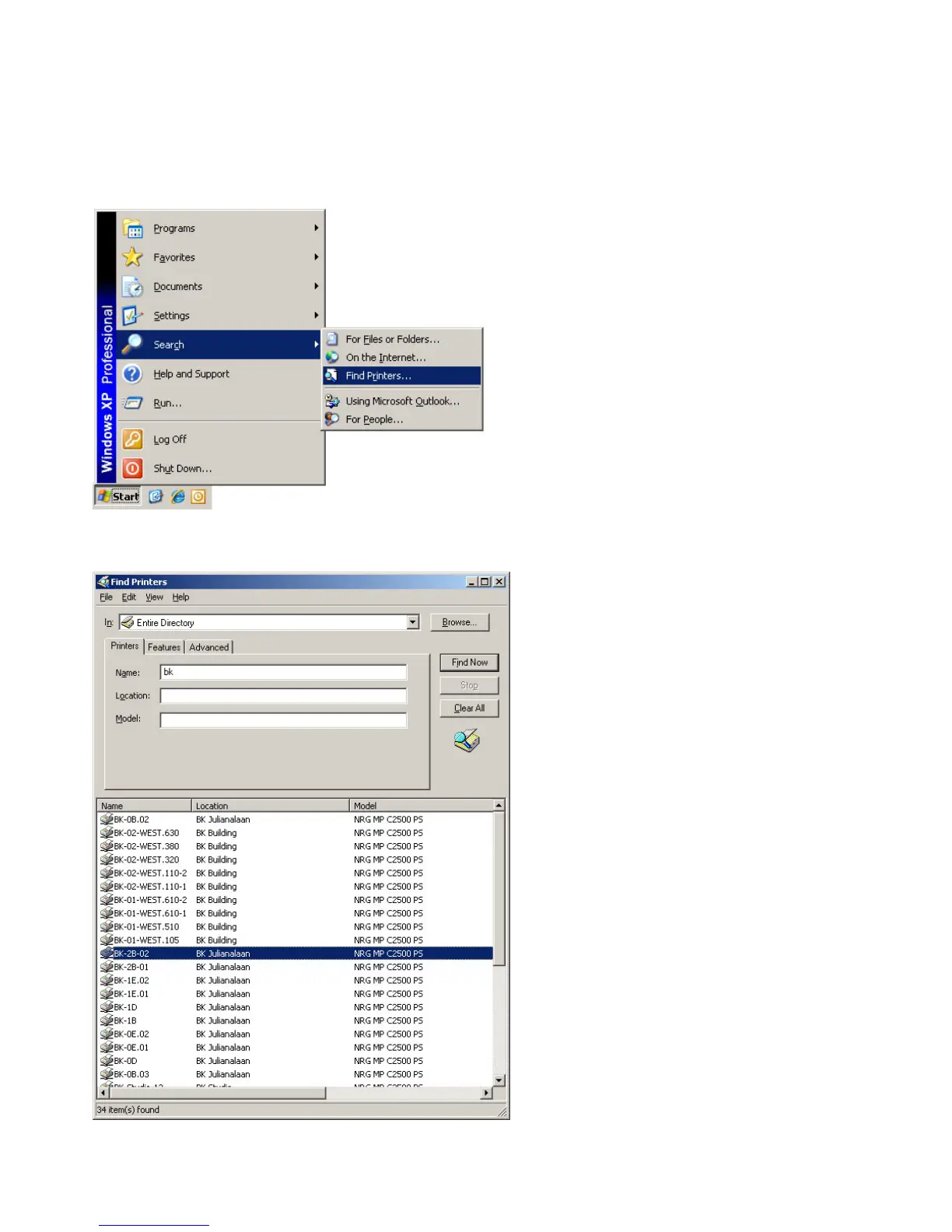
1.1 Installing a printer in the ‘dastud’ domain
Go to: “Start”, “Search” and select “Find Printers…”:
Thescreenasdisplayedbelowwillappear.Typeinthe“Name”eld:theletters“BK”andclickon“FindNow”.Then
double click on the desired printer to install:
1. Printing
Note
The following instruction to install a printer only applies to computers that are joined to the ‘dastud’ domain and lap-
tops that are connected to the wireless network: ‘tudelft-dastud’.









 To Next Page