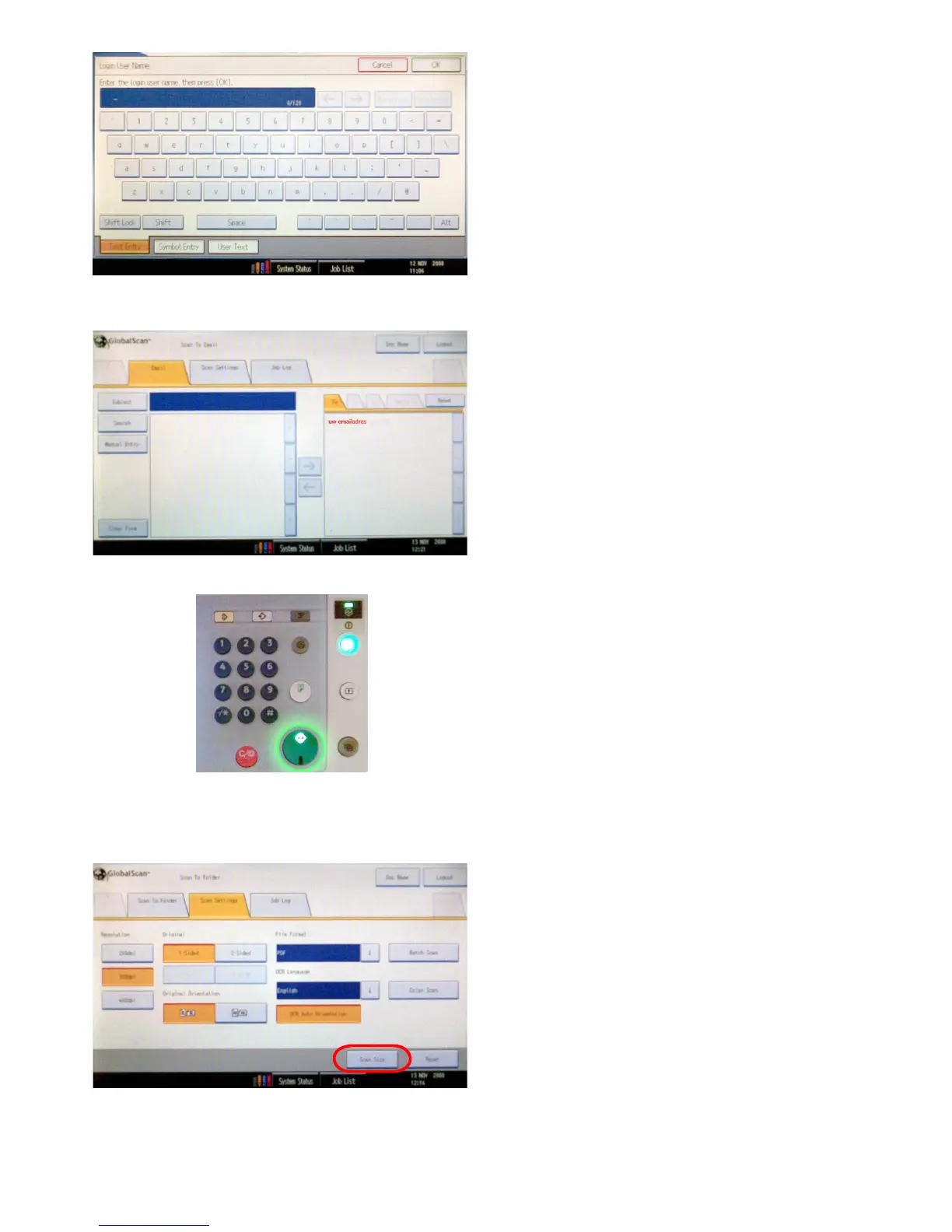
Themostefciëntwaytosentyourscanletoother
people is to scan it to your own e-mail address and to
forward it to other people from there.
Youre-mailaddressisalreadylledinwhenyoulogon,
so you can start scanning right away.
Fill in your NetID with the keyboard that appears and
pressOK.RepeatthesestepstoenteryourNetIDpass-
word.
NOTE
Change the domain to ‘dastud’.
Whenyou’renishedenteringyourlogincredentials
press the ‘login’ button.
Select the ‘Scan Settings’ tab.
On this tab you can adjust the following things: the
resolutionofthescanle,indicatewhethertheoriginalis
single-ordoublesidedandinwhatleformatyouwant
to save your scans.
Here are some guidelines:
-Toreducelesize,choosealowresolution(200dpi),
for instance when your original only consists of text.
-Foranalresultwithahigherquality(moredetail)you
need to choose a higher resolution.
- When you select ‘Color Scan’ you can also select JPEG
insteadoftheTIFFleformat.SelectingJPEGwillmake
the scanner send every scanned page separately to your
e-mailaccount,insteadofbundlingthemintoonele.
The advantage is that you can edit these images sepa-
rately right away.
3.1.1 Adjusting quality and le size
On the green ‘start’ button a green light will switch on.
Push this button to start scanning.
When the last original has been scanned, the scan job
will be completed and will be send immediately.
After you’ve nished scanning, it will take some
time before your scan le appears in your inbox.









 To Next Page