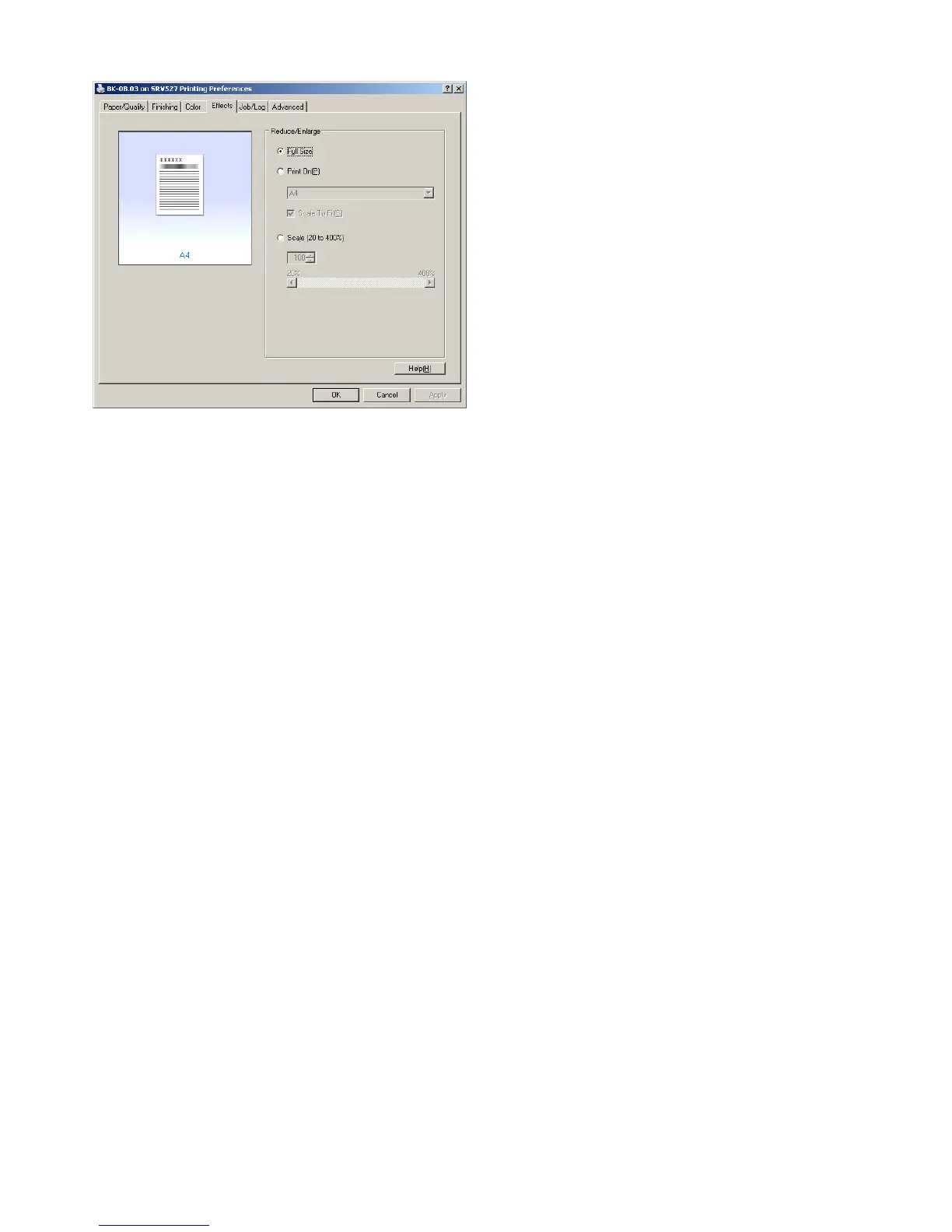
1.2.6 Reducing and enlarging printjobs
On the ‘Effects’ tab you can select whether you want to
print your document reduced or enlarged to a different
paper size then the size you originally made the docu-
ment in. The default setting of the printer is ‘Full Size’,
which corresponds to a 1:1 ratio print size.
Use ‘Print on’ to choose to what A-format you want to
scale your document to when it’s printed.
Use ‘Scale 20 to 400%’ to indicate by percentages how
much your document needs to be reduced or enlarged.
The original document size corresponds to 100%.









 To Next Page