Attention
The following option will only work if you place the
original on the glass plate and not if you use the
automatic document feeder.
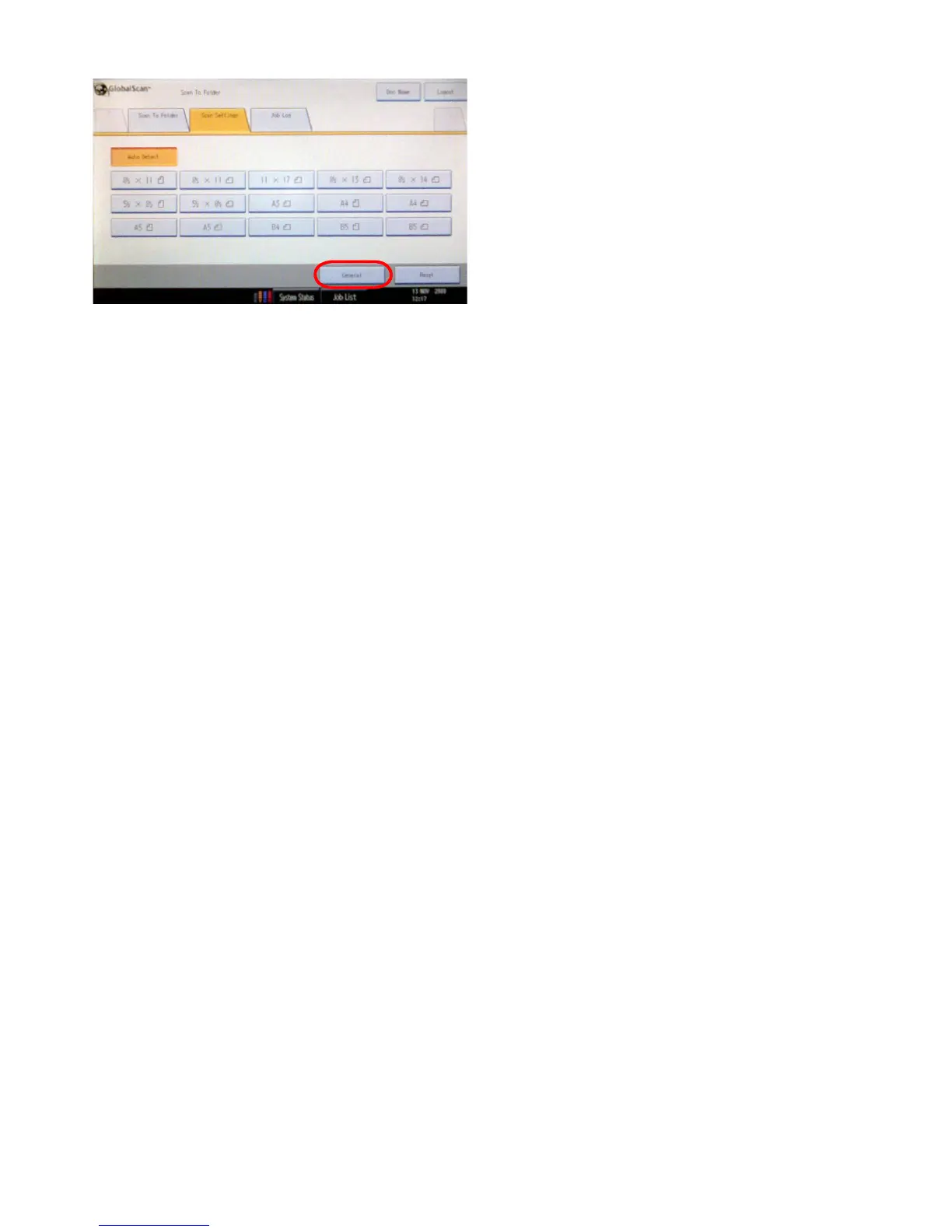
Push the ‘Scan Size’ button in the lower right corner of
the screen.
- Choose ‘Auto Detect’ to have the scanner detect what
format (paper size) your original is and to have it saved
in this format.
- You can also choose from a whole set of other standard
papersizesyoucansaveyourleinto.
To return to the main page press ‘General’.
3.1.2 Adjusting paper size of the scan









 To Next Page