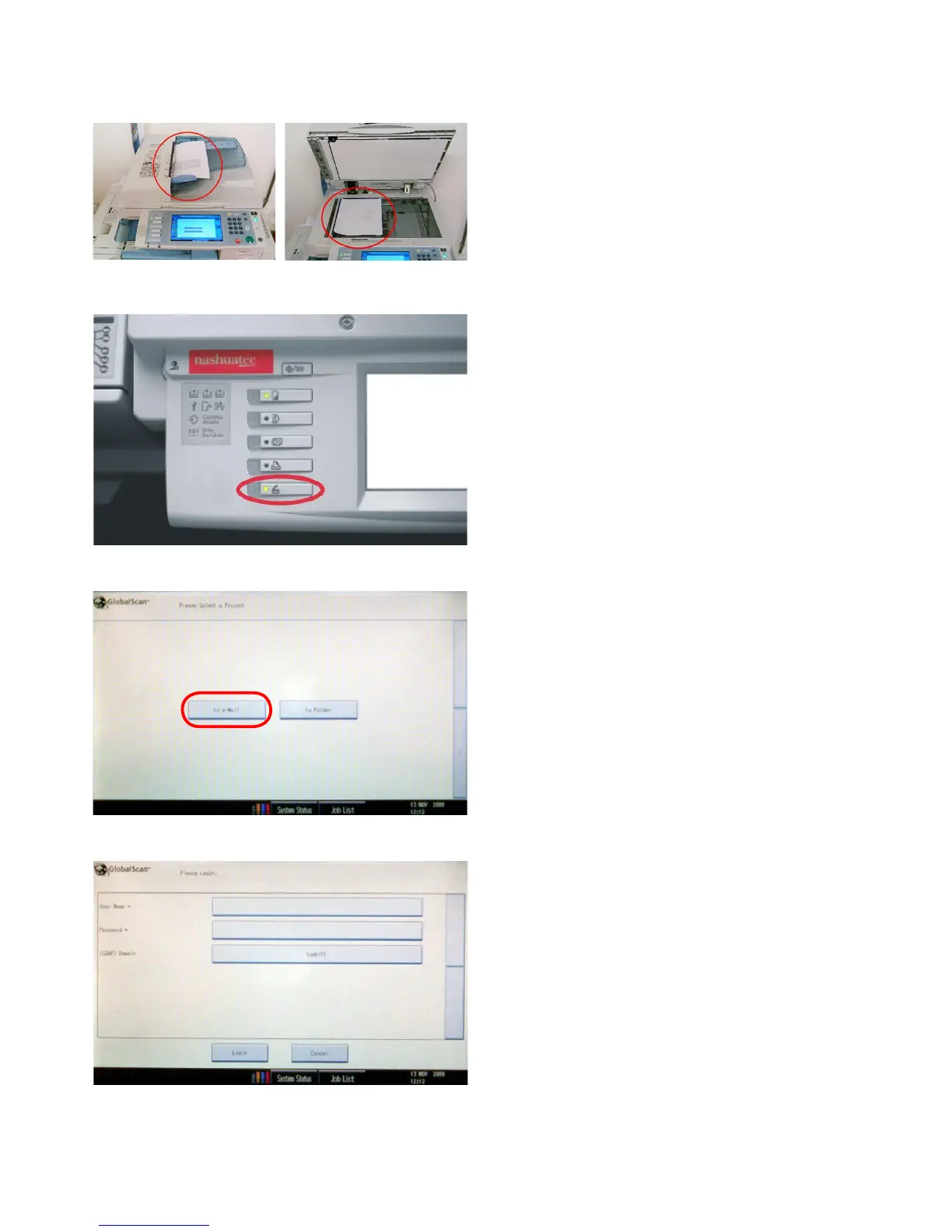
3 Scanning
Select the scan mode with the function buttons to the left
of the touchscreen.
Place the original on the automatic document feeder on
top of the printer (1.) with the side you want to copy
facing upwards or place it on the glass plate with the side
you want to copy facing down (2.).
An original can consist of 1 page as well as a pile of
pages,thescannerwillmakeonelewithmultiplepages
out of it.
1. 2.
3.1 How to scan to your emailadres
The printer will ask you for your login name and pass-
word, the default domain is ‘tudelft’.
Press the button next to ‘login name’.
Choose: ‘to e-Mail’









 To Next Page